
Ad scheduling in Google Ads is an important feature that allows advertisers to determine the timing of advertising. With this, businesses can choose particular days and hours to display their ads based on their business needs and customer activity.
They can customise their schedules to manage expenses and improve performance rather than focusing on running campaigns throughout the day.
Continue reading this blog to explore how ad scheduling actually works and best strategies to manage your advertising schedule.
Key Takeaways
- With Google Ads, advertisers have the option to select specific days and hours when their ads are eligible to appear.
- Use day-and-hour reports to identify which time periods generate more conversions.
- Schedule ads according to your team's availability and customer service hours.
- Review clicks, conversions, conversion rates, and cost per conversion before changing your schedule.
- Different industries may experience different customer activity patterns throughout the day.
- Do not limit new campaigns to specific hours without sufficient performance data.
What Is Ad Scheduling in Google Ads?
Ad scheduling, or “dayparting,” is a Google Ads feature introduced by Google for Google AdWords on June 16, 2006. This feature lets advertisers specify the days and times when their ads can appear in search results.
By default, your ads show throughout the day. Still, after this, advertisers can now customise the schedule of their ads based on factors such as business hours, users’ activity, and campaign performance.
For example, you run a dental clinic that accepts appointments from Monday to Saturday between 9 AM and 7 PM. Then you may run your ads during working hours so that potential patients can contact your clinic.
Google Ads ad scheduling offers two main options:
- Control when ads appear: You can select specific days and times during which your ads can show.
- Adjust bids based on time: For supported bidding strategies, you can increase or decrease bids during specific time periods to reflect their performance.
How Does Ad Scheduling Work?
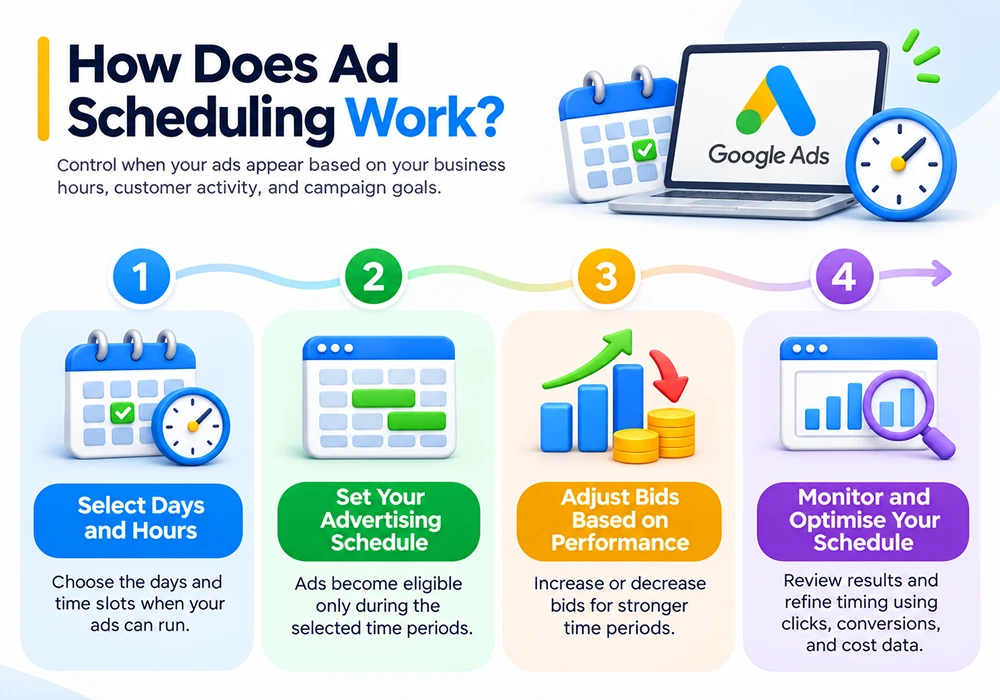
Ad scheduling works by allowing advertisers to select specific days and time ranges when their ads are eligible to appear. You can customise your schedule according to your business requirements and customer activity.
1. Select Days and Hours
Select days and particular hours when you want your ads to appear. You can create different schedules for each day based on your business operating hours.
2. Set Your Advertising Schedule
After selecting days and hours, Google Ads uses these settings to determine when your ads are eligible to participate in ad auctions. Your ads will only be eligible to appear during the selected time periods.
3. Adjust Bids Based on Performance
For supported bidding strategies, you can use bid adjustments to increase or decrease your bids during specific time periods. This helps you manage bids according to campaign performance.
4. Monitor and Optimise Your Schedule
Review campaign reports to understand how your ads perform across different days and hours. You can update your schedule to improve campaign results based on clicks, conversions, and cost per conversion.
How to Set Up Ad Scheduling in Google Ads (Step by Step)
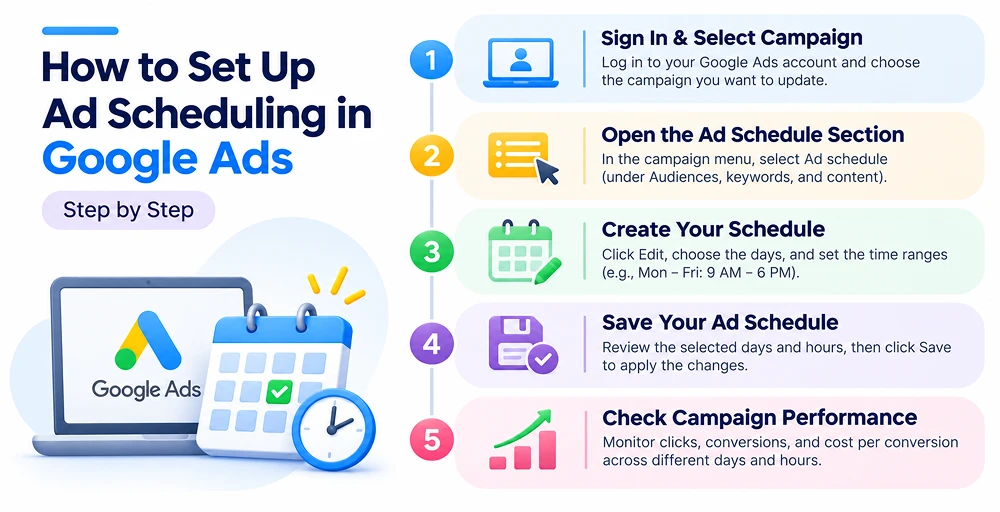
Google Ads allows you to create a custom ad schedule based on your business hours, customer activity, and campaign objectives.
Here, I have explained the steps to configure an ad schedule for your Google Ads campaign.
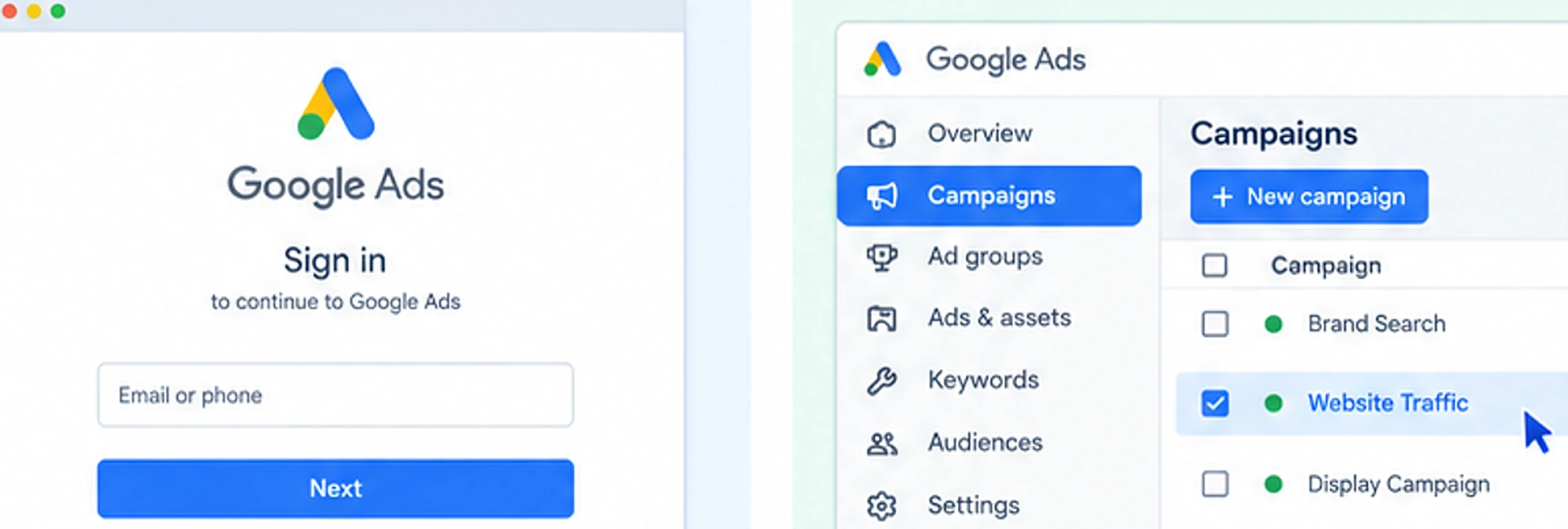
Step 1: Sign In to Your Account and Select Your Campaign
Start your first step by signing in to your Google Ads account. After this, select the campaign for which you want to configure an ad schedule.
Step 2: Open the Ad Schedule Section
Now, in the campaign navigation menu, select Ad schedule.
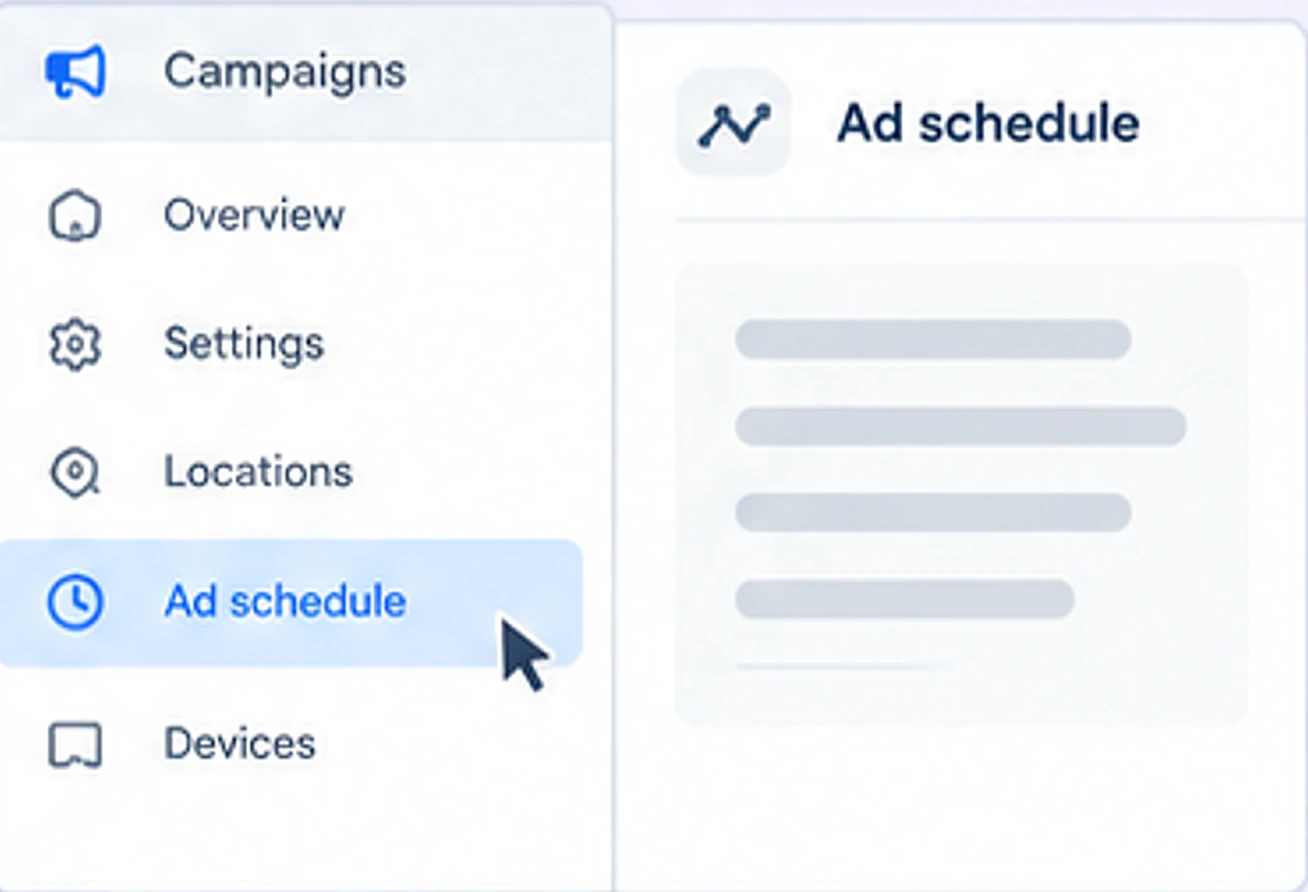
Note: Based on your account interface, this option may appear under the Audiences, keywords, and content section.
Step 3: Click the Edit Option
To create a new schedule, click the edit option. Select the days of the week on which you want your ads to appear.
Here you can enter a time based on business hours.
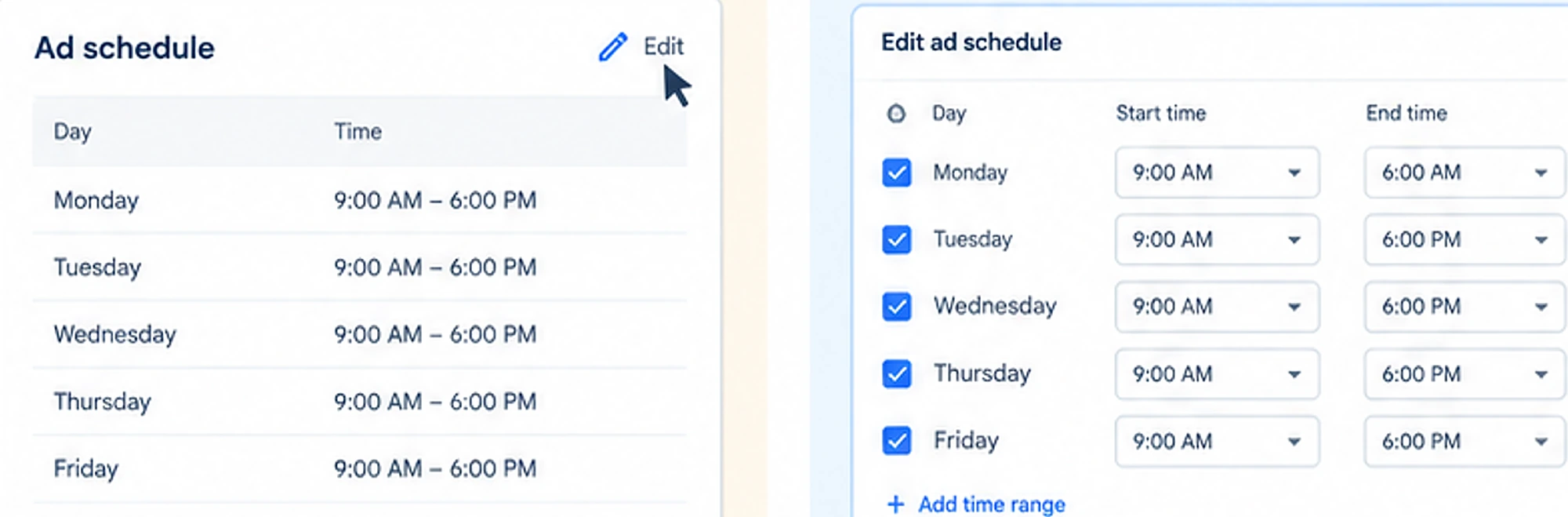
For example:
- Monday: 9 AM–6 PM
- Tuesday: 9 AM–6 PM
- Wednesday: 9 AM–6 PM
- Thursday: 9 AM–6 PM
- Friday: 9 AM–6 PM
Based on your business needs, create different time ranges for different days.
Step 4: Save Your Ad Schedule
Review the selected days and hours to ensure they match your advertising objectives. Click Save to apply the changes.
Step 5: Check Campaign Performance
After completing all the above steps, continuously review your campaign performance.
- Compare clicks, conversions, conversion rates, and cost per conversion across different days and hours.
- If certain time periods consistently generate better results, you can retain or prioritise them.
Ad Scheduling Strategies That Work
Here are some practical strategies to improve your ad scheduling decisions.
1. Analyze Previous Campaign Data
Start reviewing previous campaign performance before making changes to the ad schedule.
In Google Ads, select day-and-hour reporting options to review which campaigns generate the most clicks and conversions.
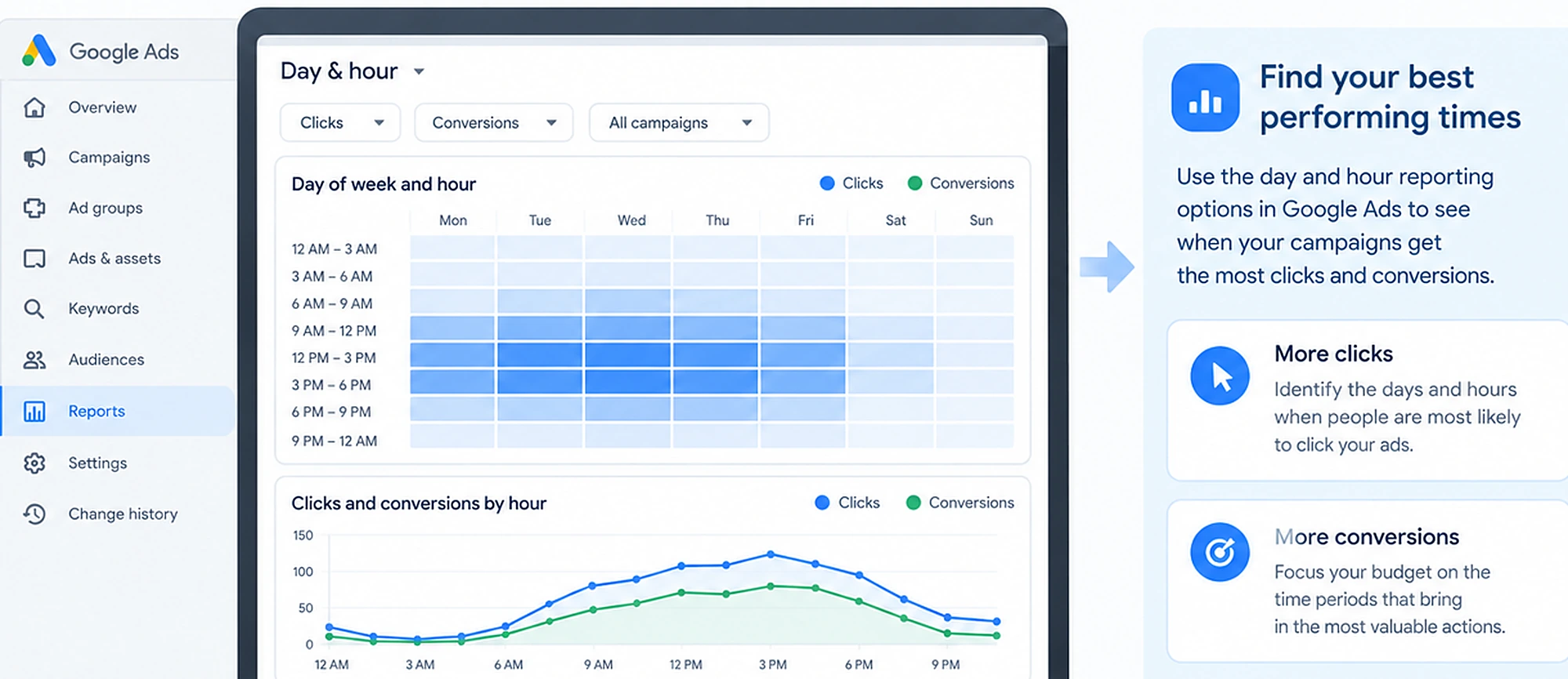
Do not evaluate performance using clicks alone. Consider conversion rate, cost per conversion, and conversion value.
2. Schedule Ads Around Your Team’s Availability
If your business depends on phone calls, consultations, or direct enquiries, consider aligning your ad schedule with your team’s availability.
For example, a plumbing company may want its call-focused ads to run when employees can answer incoming calls.
Running your ad during working hours only may restrict potential customers. Therefore, set your ad schedule according to your service availability and your team’s ability to respond to potential customers.
Also Read: How Time Zones Affect Multi-City PPC Campaign Performance
3. Analyze Customer Buying Behaviour
For different industries, customers behave differently.
For example, for B2B services, customers may search for software, consulting, or professional services during standard working hours. Similarly, for e-commerce, customers may browse for products.
4. Avoid Restricting Ads Too Early
New campaigns may not have enough data to identify suitable advertising hours. If you restrict your ads immediately, it can stop Google from collecting important data on how customers behave in different periods of time. In this case, it is better to start with a more flexible schedule.
5. Review Your Schedule Regularly
Customer demand regularly changes due to seasonal demand or holidays, etc.
For example, an online clothing store may experience a higher volume of shopping during holiday seasons as compared to ordinary weeks.
Constantly monitor your schedule and make adjustments if supported by valid performance data. Avoid making frequent changes based on small fluctuations.
Ad Scheduling vs. Other Targeting Options
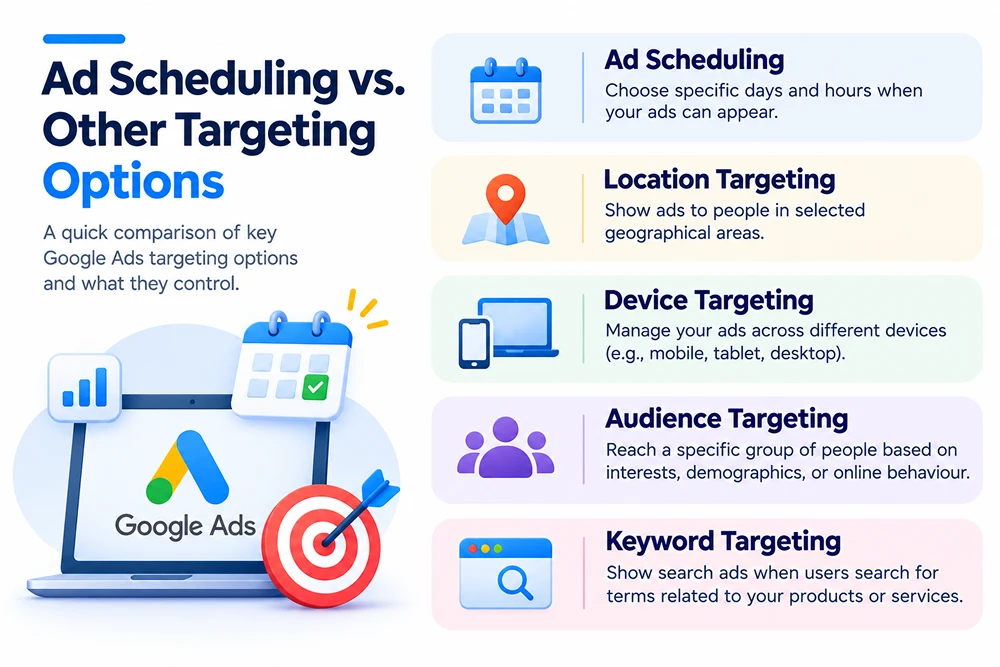
Google Ads provides several options for targeting to reach a relevant audience. Here is how it compares with other targeting options:
Targeting Option | What It Controls | Example |
|---|---|---|
| Ad Scheduling | It allows advertisers to choose particular days and hours when their ads are eligible to appear. It helps businesses align their advertising with customer activity and business operating hours. | A dental clinic schedules its ads Monday–Friday, 9 AM–6 PM. |
| Location Targeting | It allows advertisers to show ads to people in selected geographical areas, such as countries, states, cities, or specific locations. | Target customers in the USA. |
| Device Targeting | It helps advertisers manage their ads to reach users across different platforms, such as smartphones and tablets. | An e-commerce business analyses its campaign performance and finds that mobile users generate more purchases. It can use this information to optimise its advertising for mobile traffic. |
| Audience Targeting | This allows advertisers to target a particular group of people based on factors such as interests, demographics, online behaviour, and previous interactions with a business. | A furniture store targets users who are interested in home improvement or users who have previously visited its website. |
| Keyword Targeting | It helps advertisers show search ads when users search for terms related to their products or services. | A digital marketing agency targets keywords such as “SEO services” and “SEO company” to reach businesses looking for search engine optimisation services. |
Tools to Help with Ad Scheduling
Here are some useful tools to help with ad scheduling:
- Google Ads: It helps to analyse campaign performance across different days and hours.
- Google Analytics 4: It helps you understand when users visit your website, engage with your content, and complete important actions.
- Google Ads Performance Planner: It helps advertisers forecast campaign performance and explore different budget and bidding scenarios.
- Google Trends: It helps you understand changes in search interest over time.
- Google Ads Keyword Planner: It helps you discover relevant search terms and review their estimated search volume and competition.
Common Ad Scheduling Mistakes to Avoid
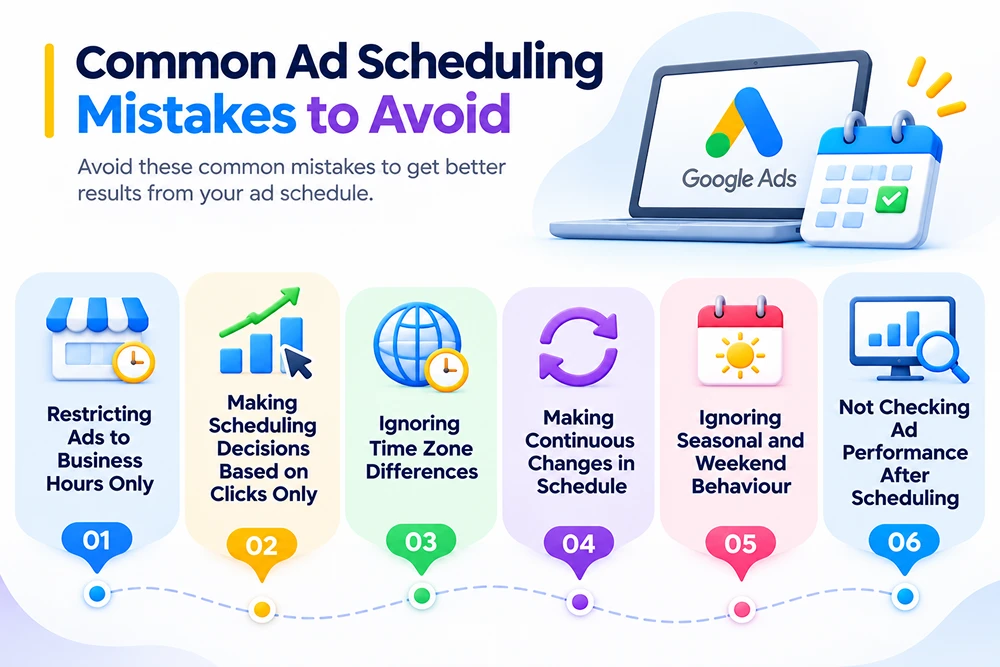
Here, we have explained the common ad scheduling mistakes that can limit your campaign performance.
1. Restricting Ads to Business Hours Only
Most advertisers run ads during business hours only. However, most users browse the internet between 7:00 PM and 11:00 PM.
Instead of limiting ads to working hours, focus on analysing your campaign data to identify when your target audience is most active.
2. Making Scheduling Decisions Based on Clicks Only
Your ad may be getting more clicks, but that does not guarantee more conversions. Therefore, it is important to consider factors such as:
- Conversion rate
- Cost per conversion
- Conversion value
- Return on ad spend (ROAS)
These metrics help you identify which time periods deliver better business results.
3. Ignoring Time Zone Differences
If you target customers across different countries or regions and ignore their time zone, this can affect your ad scheduling decisions.
It is necessary to check your Google Ads account’s time zone and consider your target customers’ local activity when planning campaigns.
4. Making Continuous Changes in Schedule
Based on small fluctuations, making changes in your ad schedule too frequently can also affect performance.
It is important to review performance after a specific time. This helps you avoid decisions based on temporary fluctuations.
5. Ignoring Seasonal and Weekend Behaviour
Customers’ behaviour mostly changes during weekends or seasonal holidays.
If you continuously focus on the same schedule throughout the year, you may miss opportunities during high-demand periods.
6. Not Checking Ad Performance After Scheduling
It is important to check performance after some fixed time to understand whether your selected days and hours are delivering the expected results.
Also Read: Common PPC Budget Mistakes to Avoid
Frequently Asked Questions
1. How to find the best times to run your ads?
In Google Ads, select day-and-hour reporting options to analyse campaign performance. Review clicks, conversions, conversion rates, and cost per conversion to identify which days and hours generate better results.
2. Why is my ad schedule not working?
There can be factors such as incorrect time settings, account time zone differences, campaign status, budget limitations, or other targeting restrictions.
3. How do I set up ad scheduling in Google Ads?
To set up ad scheduling, sign in to your Google Ads account and select your campaign. Open the Ad Schedule section, click the edit option, choose your preferred days and hours, and save your changes.
4. Can I schedule Google Ads to run only on weekends?
Yes, Google Ads allows you to select particular weekdays for your campaigns. If your business receives more customers on weekends, you can schedule your ads to run on Saturdays and Sundays.
5. Can I change my Google Ads schedule after publishing a campaign?
Yes. You can edit your ad schedule at any time from the campaign’s Ad Schedule section. You can add or remove days, change time ranges, and adjust your schedule according to campaign performance.
6. Can I schedule Google Ads for specific hours only?
Yes, you can schedule Google Ads to run only during specific hours and days using the Google Ads Ad Schedule feature (called “dayparting”).
Conclusion
Ad scheduling in Google Ads helps businesses control when their ads can appear and align campaigns with customer activity and business availability.
Choosing the right advertising hours requires more than simply following regular business hours.
You should regularly analyse campaign performance, understand customer buying behaviour, and identify which time periods generate valuable conversions. Avoid making unnecessary scheduling restrictions or frequent changes without sufficient data.
With the right scheduling approach and continuous performance monitoring, you can make better advertising decisions and use your monthly Ads budget more effectively.