
Understanding Google PPC pricing is one of the most important aspects of running successful digital advertising campaigns. Whether you are a small business owner exploring paid search for the first time or a marketing professional managing multiple accounts, knowing what influences your advertising costs can make the difference between a profitable campaign and wasted spend.
In this comprehensive guide, we will break down everything you need to know about how much does Google PPC price, including average costs, key factors that affect pricing, budgeting strategies, and practical tips to maximize your return on investment.
What Is Google PPC and How Does the Pricing Work?
Google PPC (pay-per-click) advertising is a digital marketing model where businesses pay each time someone clicks on their ads displayed in Google search results or across the Google Display Network. Unlike traditional advertising where you pay upfront for exposure, Google PPC price is determined by an auction-based system that takes multiple factors into account.
Every time someone searches on Google, an automated auction takes place behind the scenes. Google evaluates all advertisers bidding on relevant keywords and determines which ads to show, in what order, and at what cost. This means your Google PPC price is not fixed, it fluctuates based on competition, ad quality, and numerous other variables.
The best part is that you only pay when someone actually clicks your ad, giving you direct control over your advertising spend. However, understanding the nuances of how Google determines your costs is essential for managing your budget effectively.
Average Google PPC Price - What Should You Expect to Pay?
One of the first questions businesses ask is, “How much does Google PPC actually cost?” While there is no one-size-fits-all answer, industry benchmarks can provide helpful guidance for setting realistic expectations.
Cost Per Click (CPC) Benchmarks
According to recent industry data, the average cost per click across all industries is approximately $5.26 on the Google Search Network. However, this number varies dramatically by industry:
- Legal Services: $8.58 - $137.55 per click (with personal injury lawyers sometimes paying $500+ per click)
- Dentists & Dental Services: $7.85 per click
- Home & Home Improvement: $7.85 per click
- Attorneys & Legal Services: $8.58 per click
- Finance & Insurance: $3.46 - $67.73 per click
- Arts & Entertainment: $1.60 per click
- Restaurants & Food: $2.05 per click
- Retail & E-commerce: $1.00 - $2.00 per click
On the Google Display Network, clicks typically cost significantly less, averaging under $1 per click. This lower Google PPC price reflects the different nature of display advertising, which focuses more on brand awareness than immediate conversions.
Monthly Budget Expectations
Most small to medium-sized businesses spend between $1,000 and $10,000 per month on Google Ads. Here is a breakdown of typical spending patterns:
- Small businesses (testing phase): $500 - $2,500 per month
- Established small businesses: $2,500 - $5,000 per month
- Medium-sized businesses: $5,000 - $10,000 per month
- Large enterprises: $10,000 - $50,000+ per month
For businesses just starting with Google Ads, a minimum daily budget of $20-50 is recommended to gather meaningful data and test different strategies. Some agencies suggest starting with at least $1,500 per month to see tangible results, though this varies by industry and competition level.
Key Factors That Affect How Much Does Google PPC Price
Understanding what drives your Google PPC price is crucial for managing costs and improving campaign performance. Let us explore the most significant factors that influence what you will pay.
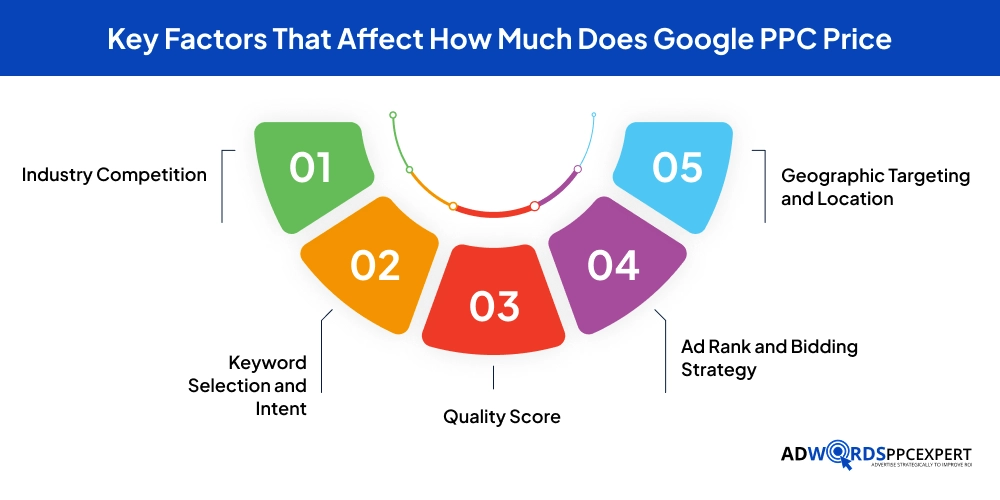
1. Industry Competition
Industry competition is arguably the single biggest factor affecting your Google PPC price. Some sectors are inherently more competitive because the lifetime value of a customer is extremely high.
For example, a personal injury attorney might gladly pay $500 for a click if that potential client could generate $50,000 in revenue. Similarly, industries like insurance, legal services, and healthcare face fierce competition, driving up costs substantially.
On the other hand, businesses in less competitive sectors like arts and entertainment or local restaurants typically enjoy much lower costs per click. The key is understanding your industry’s competitive landscape and adjusting your expectations accordingly.
2. Keyword Selection and Intent
Not all keywords are created equal when it comes to Google PPC pricing. The cost to target a keyword depends on several factors:
Search Volume: High-volume keywords typically cost more because more businesses want to appear for those searches. However, sometimes lower-volume, more specific keywords can be surprisingly expensive if they have high commercial intent.
Search Intent: Keywords closer to the bottom of the sales funnel (transactional intent) generally cost more than informational keywords. Someone searching “buy running shoes online now” is much closer to making a purchase than someone searching “how to choose running shoes.”
Long-Tail vs. Short-Tail: While popular short-tail keywords like “lawyer” or “insurance” can be prohibitively expensive, long-tail variations like “affordable estate planning lawyer in Austin Texas” often cost significantly less while attracting more qualified leads.
Smart keyword strategy involves finding the sweet spot between high intent, reasonable volume, and manageable cost. Many successful advertisers focus on long-tail keywords that may have lower search volume but deliver better-qualified traffic at a lower Google PPC price.
3. Quality Score
Quality Score is Google’s rating of the quality and relevance of your keywords, ads, and landing pages, measured on a scale from 1 to 10. This metric has a profound impact on how much does Google PPC price, and it is one of the few factors you have direct control over.
Quality Score matters as Google wants to show the most relevant, helpful ads to searchers. When your ads are highly relevant and provide a great user experience, Google rewards you with lower costs and better ad positions.
Quality Score Components:
- Expected click-through rate (CTR)
- Ad relevance to the search query
- Landing page experience and relevance
- Historical account performance
A higher Quality Score can reduce your cost per click by 20-40% or more. Conversely, poor Quality Scores force you to bid significantly higher to maintain the same ad positions. This means two advertisers could target the same keyword, but the one with better ad quality pays substantially less per click.
4. Ad Rank and Bidding Strategy
Your Ad Rank determines whether your ad shows and where it appears in search results. It is calculated using this formula:
Ad Rank = Maximum Bid × Quality Score
This means you don’t necessarily pay your maximum bid for each click. Instead, Google uses a formula to determine your actual cost per click:
Actual CPC = (Ad Rank of competitor below you / Your Quality Score) + $0.01
This system allows advertisers with smaller budgets to compete effectively against bigger spenders by focusing on ad quality. A business with a limited budget but excellent Quality Score can outrank competitors with higher bids but lower ad relevance.
Bidding Strategies also significantly impact your Google PPC price:
- Manual CPC: You set bids for each keyword, giving you maximum control
- Enhanced CPC: Google automatically adjusts your manual bids to maximize conversions
- Maximize Clicks: Google sets bids to get you the most clicks within your budget
- Target CPA: Optimizes bids to achieve a specific cost per acquisition
- Target ROAS: Focuses on achieving a target return on ad spend
- Maximize Conversions: Use your budget to get the most conversions possible
5. Geographic Targeting and Location
Where you advertise significantly affects how much does Google PPC price. Major metropolitan areas and highly competitive markets typically have much higher costs than smaller cities or rural areas.
Geographic Cost Variations:
- High-Cost Markets: New York, Los Angeles, San Francisco, Boston, and other major cities
- Medium-Cost Markets: Mid-sized cities and suburban areas
- Low-Cost Markets: Small towns and rural areas
- International Variations: Countries like the US, UK, Germany, and Australia have significantly higher CPCs than India, Brazil, or Southeast Asia
For example, a plumber in Denver might pay $59.81 per click, while a plumber in Birmingham pays only $15.53 for similar services. You can see a 137% difference for the same type of business.
Local businesses can optimize their Google PPC price by carefully targeting specific geographic areas where their customers are located, rather than casting a wide net.
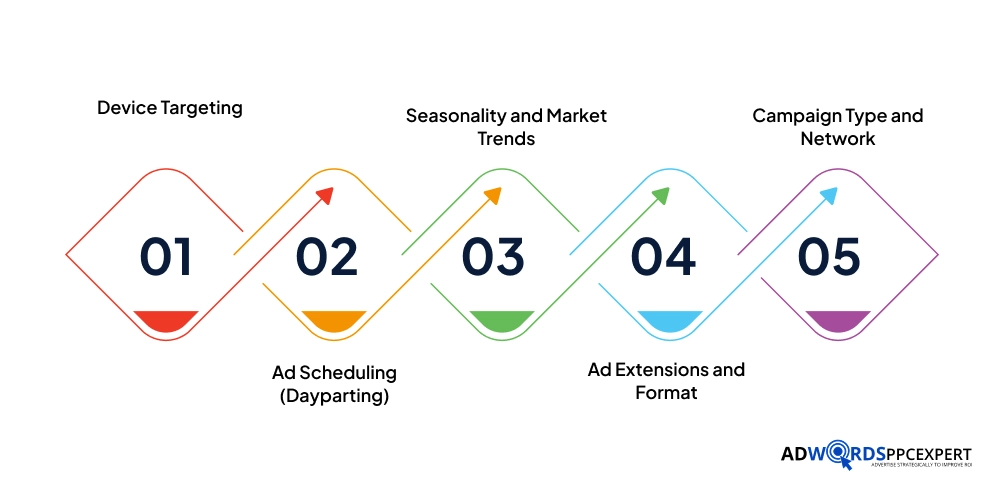
6. Device Targeting
The device your ads appear on also impacts costs. Mobile searches now account for the majority of Google searches, but costs can vary by device:
- Desktop: Typically higher CPCs but often better conversion rates for complex purchases
- Mobile: Usually lower CPCs, essential for local businesses and quick purchasing decisions
- Tablet: Falls somewhere between mobile and desktop
You can adjust bids by device type, increasing bids for devices that convert better for your business and decreasing bids for underperforming devices. This level of control helps optimize your Google PPC price based on actual performance data.
7. Ad Scheduling (Dayparting)
When your ads run can significantly impact both costs and performance. Ad scheduling allows you to:
- Run ads only during business hours when you can respond to inquiries
- Increase bids during peak conversion times
- Decrease bids during low-performing hours or days
- Pause ads completely during times when your business is closed
A local bakery that closes at 7 PM might choose to run ads only from 6 AM to 7 PM, ensuring they are not paying for clicks when they can not serve customers. Conversely, an e-commerce PPC business might increase bids during evening hours when people are more likely to shop online.
Strategic ad scheduling helps control your Google PPC price by focusing spend on the most productive times.
8. Seasonality and Market Trends
Consumer trends, seasonal demand, and market conditions all influence Google PPC pricing. Costs can fluctuate significantly based on:
- Holiday seasons: Black Friday, Cyber Monday, and Christmas drive up competition and costs
- Tax season: Accountants and financial services see increased competition
- Back-to-school: Education, supplies, and children's products face higher costs
- Industry-specific seasons: HVAC companies see spikes during summer and winter, and landscapers peak in spring
Understanding these patterns helps you anticipate when your Google PPC price will increase and adjust your strategy accordingly. Some businesses increase budgets during peak seasons to capitalize on demand, while others find opportunities in off-peak periods when competition and costs are lower.
9. Ad Extensions and Format
Using ad extensions can improve your ad’s visibility and click-through rate without directly increasing your Google PPC price. In fact, extensions often improve your Quality Score by making ads more useful, which can actually reduce costs.
Popular Ad Extensions:
- Sitelink extensions
- Call extensions
- Location extensions
- Callout extensions
- Structured snippet extensions
- Price extensions
- Promotion extensions
These additions make your ads larger and more prominent without additional cost, you only pay when someone clicks.
10. Campaign Type and Network
Different campaign types have different cost structures:
- Search Network campaigns: Highest costs but typically best conversion rates
- Display Network campaigns: Lower costs (often $0.50 or less per click) but lower conversion rates
- Shopping campaigns: Vary by product and competition
- Video campaigns: Usually based on CPM (cost per thousand impressions) or CPV (cost per view)
- Performance Max campaigns: Uses AI to optimize across multiple networks
The Google Display Network offers significantly lower Google PPC price points but attracts users at earlier stages of the buying journey, so the intent is different than search ads.
Understanding Google PPC Management Costs
Beyond the actual advertising spend, many businesses also invest in professional PPC management services. Understanding these costs is important for budgeting accurately.
Agency Management Fee Structures
Percentage of Ad Spend Model: Most agencies charge a flat monthly fee plus 7-15% of your monthly ad spend. This is the most common Google PPC pricing model because it scales with campaign complexity.
Flat Monthly Fee: Some agencies charge a fixed monthly fee regardless of ad spend, typically ranging from $500 to $5,000+ per month, depending on the scope of services.
Hourly Rate: Individual consultants or contractors may charge hourly rates ranging from $50 to $250 per hour, with US-based experts typically charging $150-200 per hour.
Performance-Based: Some agencies charge based on results achieved, such as cost per lead or percentage of revenue generated.
What Management Fees Cover
Professional Google Ads management typically includes:
- Initial account setup and strategy development
- Keyword research and selection
- Ad copywriting and creative development
- Campaign structure and organization
- Bid management and optimization
- A/B testing of ads and landing pages
- Negative keyword management
- Monthly reporting and analysis
- Regular strategy consultations
- Landing page recommendations
- Conversion tracking setup
For businesses without in-house expertise, professional management can pay for itself by reducing wasted spend and improving campaign performance, often lowering your effective Google PPC price while increasing conversions.
How to Set Your Google PPC Budget
Setting the right budget for your Google PPC campaigns requires careful consideration of multiple factors.
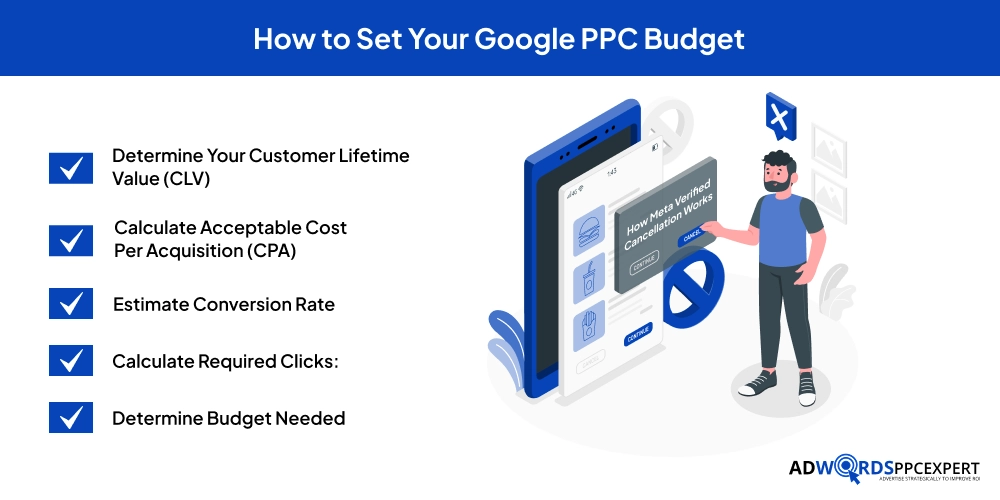
Calculate Your Budget Based on Goals
Start by working backward from your business objectives:
Determine Your Customer Lifetime Value (CLV): How much revenue does an average customer generate?
Calculate Acceptable Cost Per Acquisition (CPA): What can you afford to pay to acquire a customer?
Estimate Conversion Rate: What percentage of clicks will likely convert?
Calculate Required Clicks: Divide desired conversions by estimated conversion rate
Determine Budget Needed: Multiply required clicks by expected CPC
Example:
- Goal: 50 new customers per month
- CLV: $2,000
- Target CPA: $400 (20% of CLV)
- Estimated conversion rate: 5%
- Required clicks: 1,000 (50 conversions ÷ 5%)
- Average CPC: $4
- Required monthly budget: $4,000
Daily vs. Monthly Budget Planning
Google Ads operates on daily budgets, but it is important to think monthly:
- Daily Budget: Your average daily spend limit
- Monthly Budget: Daily budget × 30.4
Google may spend up to 2x your daily budget on high-traffic days if it means more conversions, but your total monthly spend will never exceed your daily budget × 30.4.
To calculate your daily budget from a monthly target, use this formula – Daily Budget = Monthly Budget ÷ 30.4
Start Small and Scale
If you are new to Google Ads, resist the temptation to jump in with your entire budget:
Test Phase: Start with $500-1,500 per month for 2-3 months
Gather Data: Analyze which keywords, ads, and strategies perform best
Optimize: Refine your approach based on performance data
Scale Gradually: Increase budget by 20-50% for top-performing campaigns
Continue Testing: Always allocate 10-20% of the budget to testing new approaches
This approach minimizes risk while gathering the data needed to optimize your Google PPC price and performance.
Strategies to Reduce Your Google PPC Price Without Sacrificing Results
Managing costs effectively is crucial for profitable advertising. Here are proven strategies to lower how much does Google PPC price while maintaining or improving results.
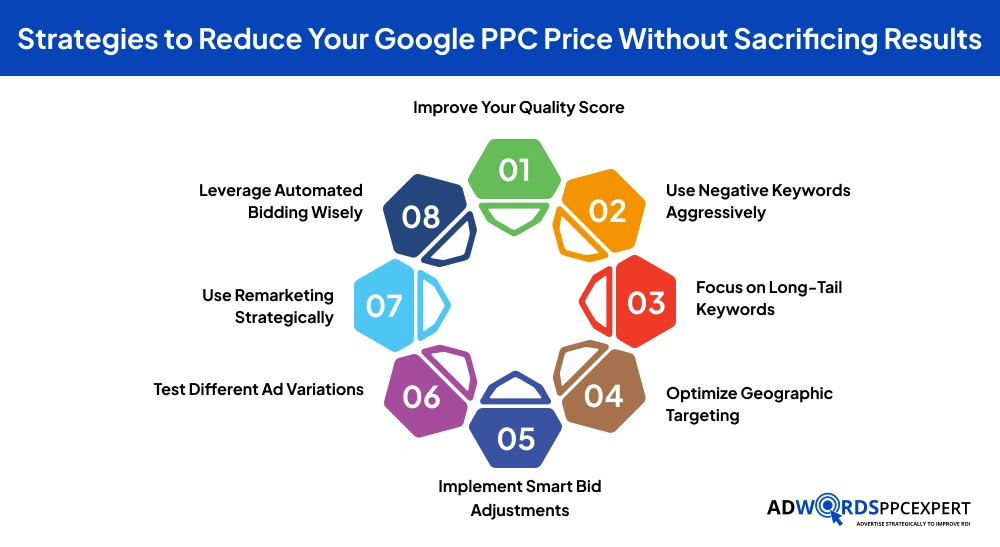
1. Improve Your Quality Score
Since Quality Score directly impacts costs, improving it should be a top priority:
- Write highly relevant ad copy that closely matches your keywords
- Create dedicated landing pages for different ad groups
- Improve page load speed and mobile responsiveness
- Include strong calls-to-action that encourage clicks
- Ensure your landing page delivers on the ad's promise
- Use keyword-rich headlines and descriptions
2. Use Negative Keywords Aggressively
Negative keywords prevent your ads from showing for irrelevant searches, eliminating wasted spend:
- Add obvious negative keywords upfront (free, cheap, DIY if you don't offer those)
- Review search term reports weekly
- Add negative keywords at both campaign and ad group levels
- Create shared negative keyword lists for efficiency
- Consider phrase match and broad match negative keywords
This single tactic can reduce your Google PPC price by eliminating clicks that rarely convert.
3. Focus on Long-Tail Keywords
Long-tail keywords often offer the best value:
- Lower competition means lower costs
- More specific intent often leads to higher conversion rates
- Less bidding pressure from large advertisers
- Better match with user needs
Instead of targeting “insurance” at $50+ per click, target “affordable term life insurance for families under 40” at $8 per click.
4. Optimize Geographic Targeting
Refine your location targeting to focus spend where it matters:
- Target specific cities or ZIP codes rather than entire states
- Exclude areas with poor performance
- Increase bids in high-performing locations
- Consider local language and cultural factors
5. Implement Smart Bid Adjustments
Fine-tune your bids based on performance:
- Increase bids for mobile if mobile converts better
- Adjust bids by location based on actual conversion data
- Modify bids by time of day when conversions peak
- Create bid adjustments for high-value audiences
6. Test Different Ad Variations
Continuously test ad copy to improve click-through and conversion rates:
- Run A/B tests on headlines and descriptions
- Test different calls-to-action
- Experiment with ad extensions
- Try different landing pages
Higher CTRs improve Quality Score, which lowers your Google PPC price.
7. Use Remarketing Strategically
Remarketing campaigns typically have lower CPCs ($0.50-1.00) because you are targeting people who already know your brand:
- Target website visitors who did not convert
- Create specific audiences based on pages viewed
- Offer incentives to return
- Use dynamic remarketing for e-commerce
8. Leverage Automated Bidding Wisely
Google’s automated bidding strategies use machine learning to optimize bids:
- Start with Target CPA or Target ROAS once you have conversion data
- Use Maximize Conversions for campaigns with proven performance
- Monitor automated strategies closely and provide feedback
- Ensure you have sufficient conversion volume (50+ conversions per month minimum)
Common Google PPC Pricing Mistakes to Avoid
Understanding what not to do is just as important as knowing best practices.
1. Setting and Forgetting
Google Ads requires active management. Markets change, competitors adjust their strategies, and seasonal trends shift. Set aside time weekly to review performance and make adjustments.
2. Ignoring Quality Score
Many advertisers focus solely on bids while ignoring Quality Score. Remember, improving Quality Score from 5 to 7 can cut your costs by 30% or more.
3. Using Broad Match Keywords Without Negative Keywords
Broad match can quickly burn through budget on irrelevant searches. Always pair broad match with comprehensive negative keyword lists.
4. Not Using Ad Extensions
Ad extensions improve ad prominence and CTR at no additional cost. There is no good reason not to use them extensively.
5. Sending Traffic to Your Homepage
Sending all clicks to your homepage reduces conversion rates and wastes money. Create specific landing pages that match each ad group’s intent.
6. Competing with Yourself
Running multiple campaigns targeting the same keywords can drive up your own costs. Properly organize campaigns to avoid self-competition.
7. Focusing Only on CPC
While monitoring your Google PPC price is important, CPC alone does not tell the whole story. A $10 click that converts is better than a $2 click that does not.
Is Google PPC Worth the Investment?
Despite potentially high costs, Google Ads delivers a strong ROI for most businesses when managed properly:
- Average ROI: Google reports an average return of $8 for every $1 spent
- Immediate Results: Unlike SEO, which takes months, Google Ads can drive traffic immediately
- Precise Targeting: Reach exactly the audience you want at the moment they are searching
- Complete Control: Adjust budgets, targeting, and ads in real-time
- Measurable Results: Track every click, conversion, and dollar spent
For most businesses, the question is not whether to use Google Ads, but how to use them effectively while managing costs.
How To Get Started with Google PPC?
Ready to launch your first Google Ads campaign? Follow this proven roadmap to get started effectively while keeping your costs under control.
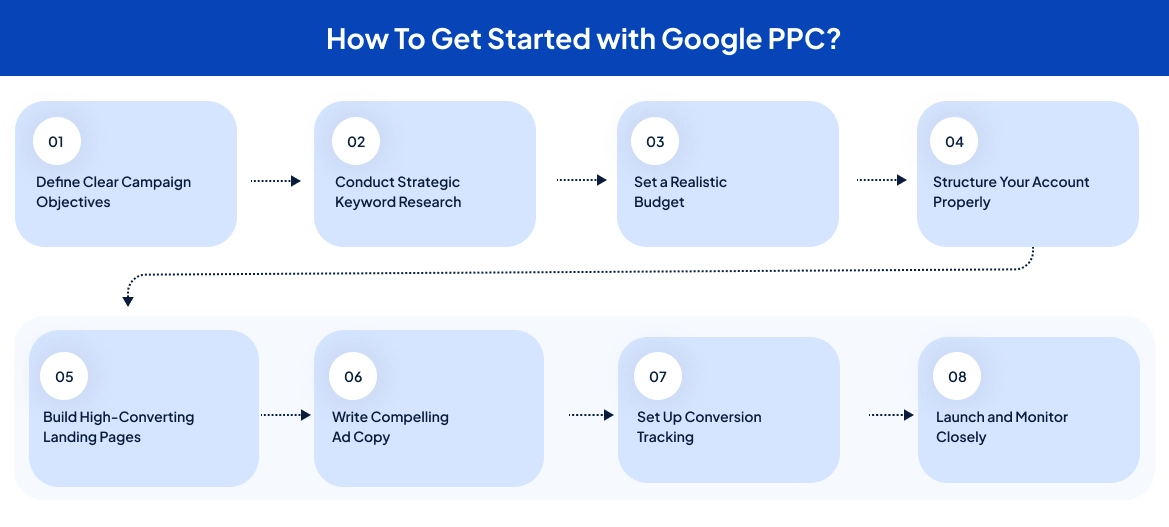
Step 1: Define Clear Campaign Objectives
Do not start with vague goals. Define specific, measurable targets:
- What action do you want (purchases, calls, form fills, appointments)?
- How many conversions do you need monthly?
- What is your maximum cost per conversion to remain profitable?
Step 2: Conduct Strategic Keyword Research
Use Google Keyword Planner to identify keywords your customers search for. Organize them by intent:
- High-intent: "hire lawyer near me," "emergency plumber Dallas" (expensive but convert well)
- Mid-intent: "best CRM software," "affordable dentist" (moderate cost and conversion)
- Low-intent: "what is SEO," "how to fix a leak" (cheap but rarely convert)
Focus initially on high-intent keywords. Also, create a negative keyword list of 50-100 terms you do not want (free, cheap, DIY, jobs, careers, etc.).
Step 3: Set a Realistic Budget
Calculate your minimum viable budget, through this Formula: (Expected CPC × 100 clicks) × 1.5 = Minimum monthly budget
Most businesses need $1,500-3,000 per month to gather meaningful data. Start with 70% on proven strategies, 20% on testing, and 10% on PPC remarketing.
Step 4: Structure Your Account Properly
Good structure improves Quality Score and lowers costs:
- Create separate campaigns by product/service line or location
- Build tight ad groups with 5-20 related keywords each
- Write 2-3 specific ads per ad group that match the keyword theme
Avoid one giant campaign with hundreds of random keywords and generic ads.
Step 5: Build High-Converting Landing Pages
Your landing page must deliver on the ad’s promise. Essential elements:
- Clear headline matching the ad
- Strong call-to-action above the fold
- Benefits-focused content
- Trust signals (reviews, certifications)
- Mobile-responsive design
- Fast load time (under 3 seconds)
Never send traffic to your generic homepage.
Step 6: Write Compelling Ad Copy
Create Responsive Search Ads with:
- Headlines featuring your keyword, benefits, and unique value
- Descriptions with clear calls-to-action
- All relevant ad extensions (sitelinks, callouts, call, location, structured snippets)
Extensions improve visibility and Quality Score at no extra cost, so use them all.
Step 7: Set Up Conversion Tracking
Before spending a dollar, implement tracking:
- Install Google Ads conversion tag on thank-you pages
- Set up Google Analytics 4 and link to Google Ads
- Enable call tracking for phone conversions
- Monitor: CTR, conversion rate, CPC, CPA, ROAS, and Quality Score
Step 8: Launch and Monitor Closely
Week 1-2: Check daily, review search terms every 2-3 days, and add negative keywords aggressively
Week 3-4: Make initial optimizations, such as adjusting bids, pausing low performers, test new ad variations
Month 2-3: Shift budget to winners, create dedicated campaigns for top keywords, optimize landing pages
Expect your first week to be your worst or average, as Google’s algorithms need time to learn.
Final Words
Google PPC price can seem overwhelming at first glance. Average costs of $5.26 per click, industries where a single click costs $50 or more, and the complexity of Quality Scores, ad auctions, and bidding strategies, make it probably a lot to absorb. But here is the reality – thousands of businesses profitably use Google Ads every single day, regardless of their budget size. They are not all Fortune 500 companies with unlimited marketing budgets. Many are small businesses spending $2,000-5,000 monthly and seeing real, measurable returns.
What separates them from those who fail? There are three things, first they understand what drives costs, second, they optimize based on data rather than guesswork, and third, they treat Google Ads as a skill to develop rather than a “set and forget” tool.
Start small, test carefully, measure everything, and scale what works. Whether you manage campaigns yourself or work with professionals, success comes from treating every dollar as an investment that should return more than it costs.
The search traffic you want is already out there. Your potential customers are searching right now. The only question is whether your ads will be there to meet them, at a price that makes sense for your business.
Ready to master Google PPC without overspending? AdWordsPPCExpert helps businesses of all sizes navigate the complexities of Google Ads, optimize their campaigns for maximum ROI, and turn advertising costs into profitable customer acquisition. Your competitors are already bidding for those clicks, so make sure you are doing it smarter.
Frequently Asked Questions (FAQs)
1. How much does Google PPC cost?
Google PPC price vary widely by industry and competition. The average cost per click is $5.26 on the Search Network and under $1 on the Display Network. However, costs range dramatically, ranging from $1.60 per click in arts and entertainment to $8.58+ in legal services, with some competitive keywords exceeding $50-100 per click. Most small businesses spend $1,000-$10,000 per month total. Your actual costs depend on your industry, keywords, Quality Score, location targeting, and how well you optimize your campaigns.
2. Is $500 enough for Google Ads?
$500 per month is on the low end and typically only works for very small local businesses in low-competition niches. At an average CPC of $5, you would get about 100 clicks, that is the bare minimum to gather useful data. In competitive industries with $10+ CPCs, this budget disappears quickly without meaningful results. While $500 can work for initial testing with highly targeted long-tail keywords and a tight geographic focus, most businesses need at least $1,500-2,000 monthly to run effective campaigns and achieve real ROI.
3. How much does a 30-second ad cost?
Google Ads does not charge for 30-second ads in the traditional sense, you are not buying TV-style ad slots. For video ads on YouTube (which can be 30 seconds), you typically pay per view using CPV (cost-per-view) pricing, ranging from $0.10 to $0.30 per view. A view counts when someone watches 30 seconds or interacts with your ad. For search and display ads, there is no time component, you pay per click regardless of how long someone views your ad, making the “30-second” timeframe irrelevant for these formats.
4. How much does 1,000 impressions cost in Google Ads?
On the Google Display Network, 1,000 impressions (CPM pricing) typically costs between $0.50 and $4, with an average of around $2.80. However, Google Search ads don’t use CPM pricing, they use CPC (cost-per-click), so you do not pay for impressions at all, only clicks. Display Network CPM costs vary based on your targeting, audience quality, ad format, and industry.

Ami Singh is a highly skilled AdWords PPC Specialist, known for creating profitable Google Ads strategies that elevate brands. With deep expertise in Google Search, Display, Shopping, YouTube Ads, and advanced bidding techniques, Ami consistently converts data into performance-driven results.
With a sharp analytical mind and a strong understanding of online consumer behavior, Ami designs campaigns that maximize ROI, boost quality scores, and reduce acquisition costs. His approach blends technical expertise with strategic thinking—making him a go-to expert for businesses aiming to dominate Google Ads.
Ami doesn’t just adapt to the fast-changing PPC industry, but he also stays ahead of the curve by testing new features, adopting automation smartly, and refining what works. Clients trust him for his transparency, insights, and ability to scale campaigns sustainably.
Looking to take your Google AdWords performance to the next level? Connect with Ami Singh at Softtrix and discover how he can help you get the maximum growth through powerful PPC strategies.