

Few situations can be more aggravating than seeing your daily budget evaporate without any corresponding gains in terms of income generation. In paid marketing, getting clicks is not very difficult if you spend enough effort trying to do so.
The real trick comes in making sure that these clicks become meaningful by making the appropriate optimizations and conducting thorough reviews.
A successful advertising campaign relies heavily on analysis and optimization practices. Even the smallest problems, including an unvalidated conversion tracking pixel, excessive use of certain match types, or even something as simple as geographic exclusion, could end up driving your budget upwards.
This guide covers some of the key aspects of the adjustments, audits, and analyses needed in order to optimize your Google Ad campaigns.
Conversion Tracking & Infrastructure Verification
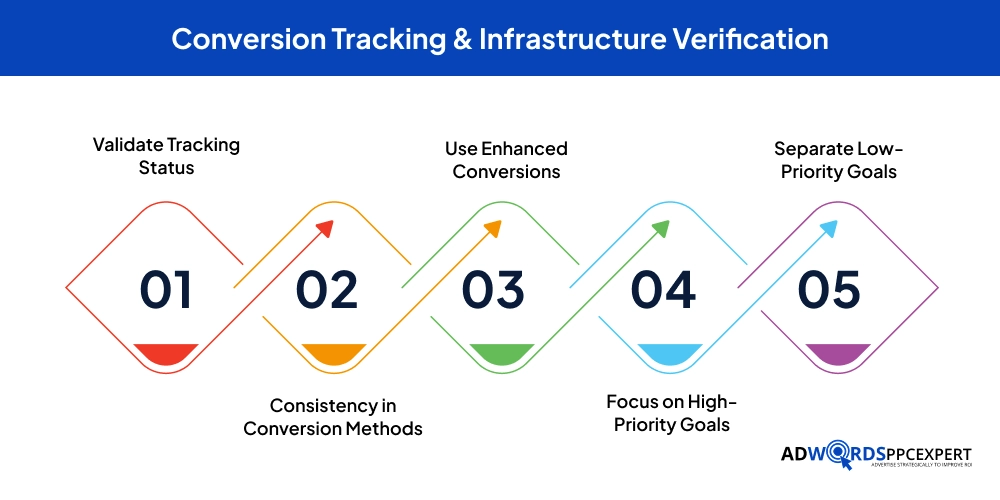
The entire process of Google AdWords optimization depends solely on conversion tracking. In case your tags have been configured incorrectly, record duplicate conversions or fail to track offline conversions, then your optimization algorithms will be optimized based on erroneous data. To protect the accuracy of your conversion tracking, you need to check your conversion tracking status from time to time through the conversions tab under tools & settings.
- Validate Tracking Status
- Consistency in Conversion Methods
- Use Enhanced Conversions
- Focus on High-Priority Goals
- Separate Low-Priority Goals
Expert Tip: Implement Enhanced Conversions immediately. By securely sending hashed customer data from your website to Google, you close tracking gaps caused by browser cookie restrictions, routinely recovering a significant portion of lost conversion data.
Moreover, analyze the conversion activities on your account to make sure that all high-level objectives, such as sales or lead form fills, are marked as ‘Primary’ while any other lower-level objective, including newsletter signups or even important pages, are categorized under ‘Secondary’. This is done so that Smart Bidding doesn’t invest budget into lower-value activities.
Account Architecture, Settings, & Budgets
The campaign setting defines how you target and spend. Ignoring the default setting and incorrectly allocating budget will ensure failure, regardless of the quality of the keywords and ad copy you create.
Campaign Settings Review
When creating campaigns, Google often automatically selects the Google Display Network for search campaigns. Although this increases exposure, it typically leads to the allocation of search dollars towards banner advertisements with lower intent levels, resulting in poor CTRs and conversions. Be sure to disable this network option for Search campaigns.
Common Mistake: Leaving the default ‘Presence or Interest’ option selected under geographic location settings. This allows users outside your target market to trigger your ads simply because they searched for a topic related to your region. Always switch this to ‘Presence: People in or regularly in your targeted locations’ to preserve budget.
Budget Allocation
Budget allocation should be towards performance and not equal for each campaign. Check your dashboard for any campaigns marked “Limited By Budget.” If there’s a high-performing campaign that is limited by its budget, but you have another campaign running experiments that has surplus budget, then shift that budget right away.
Bid Strategy Evaluation
Deciding on the appropriate bidding strategy is contingent upon how mature your campaign data is and what you want to accomplish as an organization. Aggressive automated bidding techniques, when there is not enough data yet, can negatively affect your results.
Aligning Bids with Data Maturity
For new campaigns without any conversion information, one can begin using Maximize Clicks with the maximum CPC set, or even ECPC. The aim is to collect data that will be needed by the automation system in order for it to run effectively.
Once you’ve managed to convert between 30 and 50 people into customers during one 30-day campaign period, start moving over to Smart Bidding, such as Maximizing Conversions or Maximizing Conversion Value. However, if you have specific efficiency requirements, then incorporate a Target Cost Per Acquisition or Return On Ad Spend limitation into the automated process.
Keyword Match Type |
Syntax |
Matching Logic |
Control vs. Scale |
|---|---|---|---|
| Exact Match | [keyword] | Matches strict intent and close variants | Maximum control, minimal search volume |
| Phrase Match | "keyword" | Matches meaning; query must include core concept | Moderate control, balanced volume |
| Broad Match | keyword | Matches related topics, synonyms, and intent | Minimal control, maximum volume and scale |
The Bid Strategy Report
No large changes should ever be made based upon superficial numbers. Always look at the Bid Strategy report to understand how far along the learning process is and how previous performance has been in comparison to your targets. If you adjust your tCPA and tROAS goals, do so by 10% to 15% each week.
Keyword Management, Search Terms, & Match Types
Keywords are managed to ensure that advertisements are consistent with real consumer intent. If left unchecked, keywords have the potential to go off track, which may result in attracting irrelevant traffic.
Search Term Analysis & Negative Keywords
With the search term report, you can view the exact search terms that led users to click on your ad. Check this report on a weekly basis to check for gaps between the needs of the users and your keywords. For instance, when an asset management company finds out that its ads show up against the phrase ‘free asset tracking software’, it has to include both terms as negative keywords.
Match Type Strategy
The broad match is more effective when combined with a well-thought-out strategy of using Smart Bidding and deep conversion metrics. The system utilizes broad match by discovering conversion potential through the analysis of countless context clues. Nevertheless, if you have small budgets to work with or you use manual bidding techniques, you should concentrate on Phrase and Exact match options.
Creative Excellence: Responsive Search Ads (RSAs)
The ad copy matches the search intent of the user with the solution offered by the landing page. The elements that make for high-performing responsive search ads include varied messages, strong value propositions, and actionable next steps.
Structuring Responsive Search Ads
Google permits a maximum of 15 headings and 4 descriptions within an RSA. In order to perform optimally, refrain from using repeated versions of the same phrase. Rather, use a combination of keyword phrases, value statements (’24/7 Enterprise Support’), and call-to-action phrases (‘Request an Instant Quote’).
Expert Tip: Do not over-pin headlines unless absolutely necessary for compliance or brand guidelines. Over-pinning restricts Google’s ability to test and find the highest-performing combinations for different user profiles, which often lowers your overall ad strength.
Evaluating Ad Strength
While achieving an ‘Excellent’ ad strength rating is a good target, the real test of ad creative lies in its performance metrics. Regularly review the ‘View Asset Details’ link within your RSAs to check performance ratings. Replace assets labeled as ‘Low’ with fresh copy that tests new hooks or emotional angles.
Post-Click Performance & Quality Score Diagnostics
A high click-through rate only matters if your landing page converts that traffic into revenue. Quality Score serves as a helpful diagnostic tool, highlighting friction points in your funnel and opportunities to lower your cost-per-click.
Deconstructing Quality Score

Quality Score ranges from 1 to 10 and is calculated based on three core components: Expected Click-Through Rate, Ad Relevance, and Landing Page Experience. Improving a low score requires a targeted approach based on which component is underperforming:
- Ad Relevance: If Ad Relevance is low, restructure your ad groups into tighter, single-theme clusters and integrate your primary keywords directly into your headlines.
- Expected CTR: If Expected CTR is low, test more compelling offers, unique selling points, and clear calls to action to improve engagement.
- Landing Page Experience: If Landing Page Experience is low, resolve slow page load times, improve mobile responsiveness, and ensure your landing page content matches the promises made in your ad copy.
Landing Page Optimization (LPO)
Ensure your landing page layout makes taking action as simple as possible. Remove unnecessary navigation menus that might distract users from converting, place your lead forms above the fold on mobile devices, and display trust badges or customer reviews near call-to-action buttons to reduce friction and build credibility.
Segment Optimization: Demographics, Geography, & Schedules
Uncovering hidden waste often requires digging into your performance segment data. Even campaigns with strong aggregate metrics usually have underlying segments that are underperforming.
Device Performance Analysis
Review performance differences across Computers, Mobile Phones, and Tablets. If mobile traffic generates a high click volume but very few conversions, check your mobile landing page for technical issues or slow load times. If the drop-off persists despite optimization, apply a negative bid adjustment to mobile devices to shift budget toward higher-converting desktop traffic.
Geographic and Schedule Refinements
Analyze your geographic reporting down to the state, city, or postal code level. If certain regions show high cost-per-acquisition (CPA) without converting, exclude those areas entirely. Similarly, use the Ad Schedule tab to evaluate hourly and daily performance. If your B2B conversion rates drop significantly over the weekend, adjust your schedule to reduce bids or pause delivery during those times.
Advanced Campaigns: Performance Max (PMax) Refinement
Performance Max campaigns automate asset allocation across Google’s entire ecosystem. However, leaving PMax entirely unmanaged can lead to budget inefficiency and brand overlap.
Asset Group Hygiene
Organize asset groups around specific product categories or target themes rather than bundling everything into a single group. Provide Google’s AI with high-quality creative assets, including high-resolution images, video content, and tailored text options. This ensures your ads render cleanly across YouTube, Gmail, Search, and the Display Network.
Common Mistake: Allowing Performance Max to bid heavily on your own brand terms without a clear strategic reason. This can inflate your conversion metrics and blend high-intent brand traffic with cold prospecting traffic. Apply a brand exclusion list to your PMax campaign to keep it focused on finding new customers.
Audience Signals
Audience signals do not restrict targeting; instead, they give the campaign algorithm an initial direction to accelerate the optimization process. Build these signals using your most valuable first-party data, such as customer email lists, and high-intent custom intent segments based on your competitors’ top search terms.
Optimization Frequency Framework
Consistency is essential for maintaining healthy paid search accounts. Reviewing your campaigns too frequently can lead to reactive, short-sighted adjustments, while waiting too long allows waste to build up unchecked.
Frequency |
Core Optimization Tasks |
Primary Objective |
|---|---|---|
| Daily | Monitor daily budgets, check for sudden performance drops, address account alerts | Account health and budget stability |
| Weekly | Analyze search terms, add negative keywords, review bid adjustments, check ad delivery | Eliminating waste and refining traffic |
| Bi-Weekly | Evaluate bid strategy adjustments, review RSA asset ratings, analyze device data | Mid-level performance tuning |
| Monthly | Perform geographic audits, analyze ad schedules, review landing page performance | Strategic alignment and trend analysis |
| Quarterly | Deep-dive account structure audit, competitive analysis (Auction Insights), historical trend review | Long-term planning and scaling |
Performance Audit Priorities
When taking over an underperforming account or performing a structured audit, it helps to prioritize your adjustments based on their potential impact on your return on investment.
Priority Level |
Audit Focus Area |
Expected Impact |
Action Items |
|---|---|---|---|
| High Priority | Conversion Tracking Verification | Critical / Baseline | Fix broken tags, eliminate duplicate tracking, set primary goals |
| High Priority | Search Term Clean-up | Immediate Cost Reduction | Add negative keywords, isolate irrelevant intents, adjust match types |
| Medium Priority | Bid Strategy & Budget Balance | Improved Efficiency | Align bids with conversion volume, fix budget constraints |
| Medium Priority | Ad Copy Refresh & Structure | Higher Click-Through Rates | Replace underperforming RSA elements, check landing page relevance |
| Low Priority | Segment Fine-Tuning | Incremental Gains | Adjust device, geographic, and ad scheduling bid modifiers |
Frequently Asked Questions
1. How much time do I need to wait after starting a new campaign?
Wait until new campaigns go through their learning phase fully. This period is around 7 to 14 days. Making changes such as modifying a budget or changing keywords and bidding strategy will only delay your campaign learning phase even further.
2. Why is my campaign experiencing impression share losses?
Impression share losses occur due to either insufficient budget or an unsatisfactory ad rank. You’ll need to determine what is responsible for your impression losses based on campaign metrics.
3. Should I opt for automatic or manual bids?
If you have a steady supply of conversion data (more than 30 per month), automated bids will help leverage contextual targeting. On the other hand, manual bids are recommended for tighter budgets where you have more control over the budget allocation.
4. How frequently do I need to add negative keywords to my campaigns?
If you have a campaign with high volume, then once in two weeks, while for mature and steady campaigns, once a week should be sufficient. Including negative keywords ensures that your budget doesn’t go to waste.
5. What is an ideal Quality Score in Google Ads?
A Quality Score of 7 or above is considered ideal in the case of non-branded commercial keywords. In case of branded keywords, one must try to achieve at least 9-10 scores. Keywords that have scores below 5 must be analyzed in terms of ad relevance and landing page experience.
Conclusion
The Google Ads optimization process involves constant evaluation, improvement, and tweaking. With an organized system in place to monitor and manage campaign keywords, bids, and segments, it is possible to systematically reduce unnecessary expenditure in each and every one of your campaigns.
It takes patience and time to create a truly successful and profitable Google Ads account. Should you need help, consider getting an experienced consultant from AdWords PPC Expert to give your account a thorough audit and optimize the performance of your ads.

Ami Singh is a highly skilled AdWords PPC Specialist, known for creating profitable Google Ads strategies that elevate brands. With deep expertise in Google Search, Display, Shopping, YouTube Ads, and advanced bidding techniques, Ami consistently converts data into performance-driven results.
With a sharp analytical mind and a strong understanding of online consumer behavior, Ami designs campaigns that maximize ROI, boost quality scores, and reduce acquisition costs. His approach blends technical expertise with strategic thinking—making him a go-to expert for businesses aiming to dominate Google Ads.
Ami doesn’t just adapt to the fast-changing PPC industry, but he also stays ahead of the curve by testing new features, adopting automation smartly, and refining what works. Clients trust him for his transparency, insights, and ability to scale campaigns sustainably.
Looking to take your Google AdWords performance to the next level? Connect with Ami Singh at Softtrix and discover how he can help you get the maximum growth through powerful PPC strategies.