
Search intent is the starting point. To optimize Google Ads for AI Overviews, focus on what your customers are actually searching for. Once you know what they want, match your ad and landing page to it, then give Google reliable conversion data to learn from.
Your Google Ads campaign doesn’t have a button called “Show in AI Overviews.” So how do you optimize for a search experience where the query, AI-generated answer, and ad relevance are increasingly connected?
Google Ads can put your business in front of people actively searching for what you offer, but getting clicks is easy; getting qualified leads from those clicks takes the right targeting, ads, and optimization.
You may already be running Google Ads, watching the clicks come in and seeing your budget go down, but where are the leads? Some businesses get a steady flow of enquiries, while others spend the same money and get little or nothing useful.
The difference is not always the budget. Poor targeting, irrelevant searches, weak ad copy or a landing page that fails to convince can quickly turn your ad spend into wasted money.
Google says its advertising and Search tools helped generate $947 billion in economic activity for U.S. businesses in 2025, showing the scale of opportunity, but businesses still need to optimize their campaigns to capture it.
Now, with AI Overviews changing how people search, Google Ads can also appear above, below, or within these AI-generated results.
So, how should you optimize Google Ads for this new search experience?
Let’s break it down.
How Google Ads Work With AI overview?
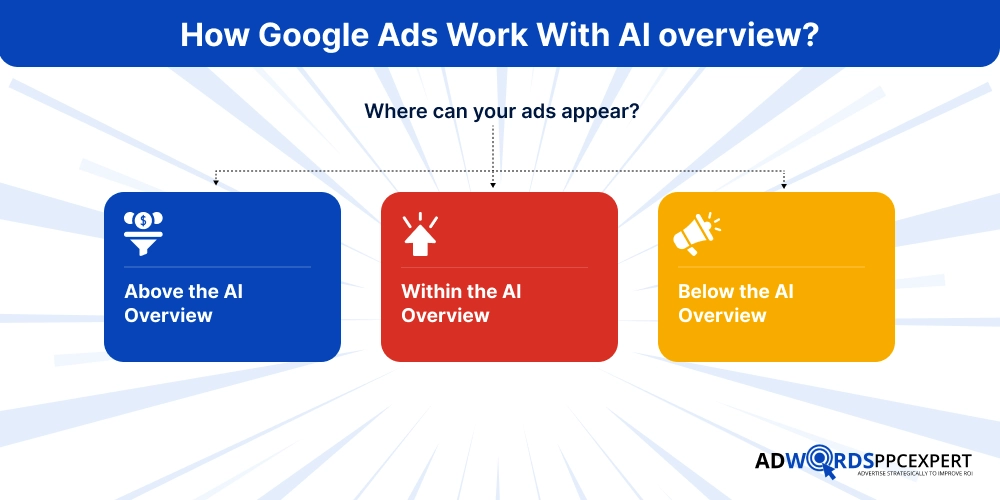
AI Overviews give users a quick answer before they continue through the search results. Your ad can appear above, below, or even within that AI Overview when Google considers it relevant to the search.
Where can your ads appear?
Your ad may appear:
- Above the AI Overview
- Within the AI Overview
- Below the AI Overview
The position isn’t something you choose manually. Google decides where the ad fits based on the search and the auction.
Which campaigns can appear?
Eligible Search, Shopping, and Performance Max campaigns can show around AI Overviews. For Search campaigns, AI Max can also help Google find more relevant searches beyond the keywords you have specifically added.
Can you target AI Overviews directly?
No. There is no “AI Overview” button you can switch on or a separate bid for it. Instead, Google looks at the person’s search, the context of the AI Overview, and your ad’s relevance to decide whether your ad can appear.
So, don’t focus on “How do I get my ad inside an AI Overview?”
Focus on “How well does my campaign match what my potential customer is actually searching for?” That is where your optimisation starts.
What does Google look at?
Think of it simply:
What the person searches → what the AI Overview is about → how relevant your ad is → where your landing page takes them.
Why AI overview Change Google Ads Optimization
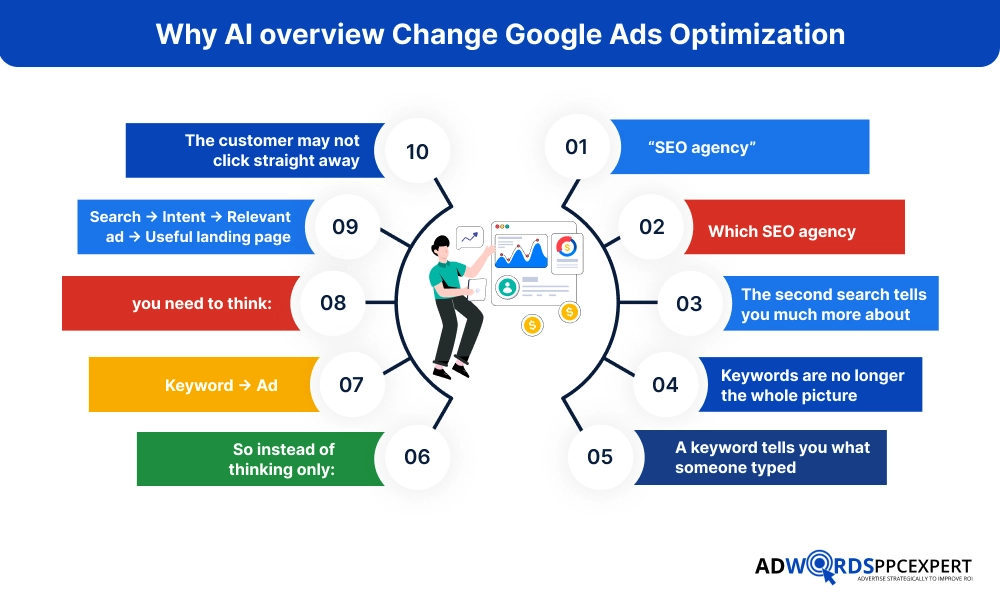
Eventually, AI overviews are changing the search behaviour. What happens before a person clicks an ad? People can easily get the context from Google Lists. This helps the advertiser to understand the search behind the keyword.
Search queries are becoming more specific
People don’t always search with two or three words anymore. They ask detailed questions, compare options, and describe exactly what they need. AI Overviews are designed to help with these more complex searches.
For example:
“SEO agency”
vs.
“Which SEO agency is best for a small business with a $2,000 monthly budget?”
The second search tells you much more about the person’s need, situation, and buying intent.
Keywords are no longer the whole picture
A keyword tells you what someone typed. Intent tells you why they typed it.
So instead of thinking only:
Keyword → Ad
you need to think:
Search → Intent → Relevant ad → Useful landing page
This matters because Google can consider the search query and the AI Overview’s context when deciding which ads are relevant.
The customer may not click straight away
Someone searching “best accounting software for a small construction company” may first read the AI Overview, compare a few options, and then decide which business to explore.
Your job isn’t simply to win the first click. Your ad needs to make sense in that decision-making moment.
That means understanding the questions your customers ask, the problems they are trying to solve and where they are in the buying process.
8 Ways to Optimize Google Ads for AI Overviews
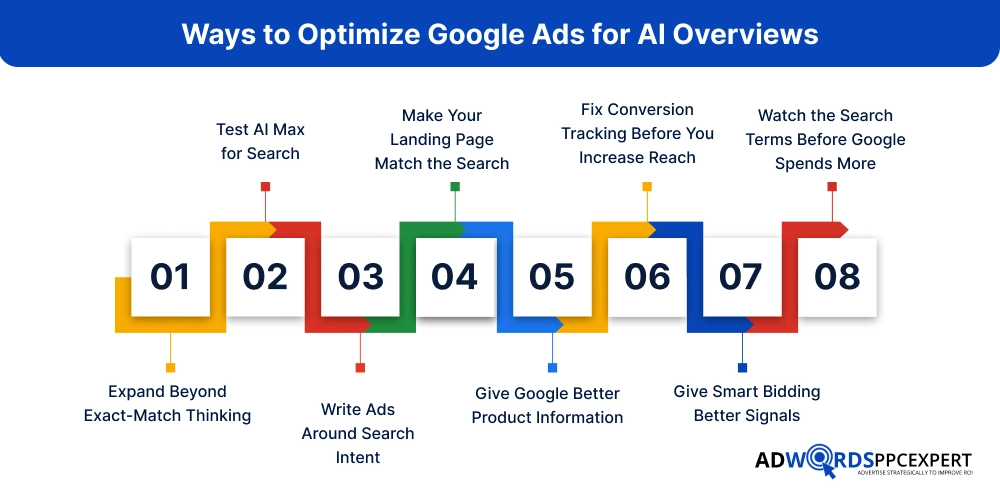
1. Expand Beyond Exact-Match Thinking
People rarely search in exactly the same words you use for your keywords. One person may type “SEO agency,” while another searches “SEO company for a small business” or “how much does SEO cost for a local business?”
Broad match can help your ads reach these variations and other relevant searches you may not have added to the campaign. Google recommends broad match and AI Max’s keywordless targeting for reaching the wider range of searches that can trigger AI Overviews.
But don’t open the floodgates just to get more traffic. Before expanding, make sure your conversion tracking is reliable, negative keywords are maintained and Smart Bidding has useful conversion data to work with.
The aim is not to match more searches. It’s to find more of the searches that can actually become customers.
2. Test AI Max for Search
AI Max is not an AI Overview targeting option. It helps Search campaigns reach relevant searches beyond your existing keywords, adjust ad messaging and send users to more relevant pages.
For example, someone may search “emergency plumber for a burst pipe tonight” instead of simply typing “emergency plumber.” AI Max can help Google understand and respond to that broader search intent.
But more reach can also mean more wasted spend if your campaign has weak conversion tracking, poor search-term control or irrelevant landing pages.
Before testing AI Max, make sure:
- Conversion tracking is accurate
- Search terms are relevant
- Negative keywords are maintained
- Landing pages match the services you advertise
- Smart Bidding has useful conversion data
And don’t judge the test by clicks alone. Look at qualified leads, CPA or conversion value. Google reported an average 7% increase in conversions or conversion value at similar CPA/ROAS when the full AI Max feature set was used, but individual results will vary.
3. Write Ads Around Search Intent
A keyword gets your ad into the auction. The message decides whether the person feels it is worth clicking.
If you sell SEO, don’t fill the ad with:
SEO Services | Best SEO Company | Affordable SEO
Say what the customer actually cares about:
- SEO for Local Businesses
- Get Found. Get More Enquiries.
- Strategy Built Around Your Market
Look at the search behind the keyword. Someone searching “SEO agency for dentists” has a different need from someone searching “how much does SEO cost?” Your ad should reflect that difference.
Focus on four things:
- What are they looking for?
- What problem are they trying to solve?
- Why should they choose you?
- What should they do next?
Google’s AI Max can also create additional headlines and descriptions using your landing page, existing ads, keywords, and website content to better fit the search context.
4. Make Your Landing Page Match the Search
Getting the click is only half the job. If the visitor lands on a page that doesn’t answer what they searched for, your ad spend has already done its part and the page hasn’t.
Someone searching “emergency boiler repair in Bournemouth” should not land on a generic “Our Services” page. They should immediately see:
- Emergency boiler repair
- Bournemouth service area
What you fix
- How quickly you can help
- A clear way to contact you
Keep each important landing page focused on one clear purpose. The heading, offer, supporting information and CTA should all make sense together.
This becomes even more important with Final URL expansion. Google can choose a more relevant page from your website based on the person’s search, so your important pages need to be genuinely useful and clearly related to what you sell.
5. Give Google Better Product Information
For ecommerce, your product feed can make or break the campaign.
If your feed says:
“Blue Shoes”
You’re giving Google very little to work with.
A stronger listing could be:
Men’s Waterproof Hiking Shoes – Lightweight, Size 7–12
Now Google has more useful information about what the product is, who it may suit, and when it could be relevant.
Check your:
- Product titles
- Descriptions
- Prices
- Availability
- Product attributes
- Images
- Product-page details
And make sure the information in your feed matches the landing page. Google uses these signals to understand products and match them with searches. Performance Max can also use Final URL expansion to send shoppers to a more relevant product page based on their search intent.
Small details in the feed can affect which searches your products make sense for.
6. Fix Conversion Tracking Before You Increase Reach
Here’s a mistake that costs businesses money:
They ask Google to find more customers before telling Google what a good customer looks like.
A form submission isn’t always a lead. A phone call isn’t always a sale. Someone downloading a brochure may have very little value compared with someone who books an appointment.
So separate the stages:
Lead → Qualified Lead → Customer
Google Ads supports qualified lead and converted lead goals, allowing advertisers to feed deeper sales information back into the platform.
If you sell expensive services, this matters even more. Ten cheap leads aren’t necessarily better than three leads that are ready to buy.
Before expanding your targeting, check whether Google is optimizing for the action that actually matters to your business.
7. Give Smart Bidding Better Signals
Smart Bidding can make thousands of auction-time decisions, but it can only work with the information your account gives it.
If Google is told that every form submission is a valuable conversion, it will try to find more people likely to submit forms. If you feed it better information about qualified or converted leads, it has a much clearer picture of what you actually want.
For example:
Weak signal:
Form submitted
Better signal:
Form submitted → qualified → became customer → £2,500 revenue
Depending on the business model, strategies such as Maximize Conversions, Target CPA, Maximize Conversion Value or Target ROAS can then work from stronger data.
Don’t keep changing the bidding strategy every few days. Fix the signals first, then give the campaign enough time to learn from them.
8. Watch the Search Terms Before Google Spends More
Automation doesn’t mean you stop checking what your money is buying.
Open the Search Terms Report and look at the actual searches triggering your ads.
You may find:
Searches from the wrong location
People looking for free services
Job seekers
Informational searches with no buying intent
Products you don’t sell
Competitor or brand searches you didn’t intend to target
Add negatives where needed. Tighten the campaign. Keep an eye on CPA, conversion quality and wasted spend, not just clicks.
For example, a plumber targeting “emergency plumber” might discover searches such as:
“plumber jobs”
“plumbing course”
“how to fix a leaking tap”
They can generate clicks, but they are not the customer the campaign was built for.
Build an AI Overview-Ready Google Ads Campaign
Instead of only giving isolated tips, give readers a practical framework.
Layer |
Focus On |
Your Goal |
|---|---|---|
| 🎯 Campaign | Goal, budget, geography | Build the right foundation |
| 🔎 Targeting | Keywords, Broad Match, AI Max | Capture relevant intent |
| ✍️ Ads | Intent, value proposition | Give users a reason to click |
| 🖥️ Landing Page | Relevance, clarity, UX | Turn clicks into conversions |
| 📊 Conversion Tracking | Quality signals | Give Google useful data |
| 💰 Bidding | CPA, ROAS, conversion value | Allocate spend efficiently |
| 🧹 Search Terms | Relevance, exclusions | Reduce wasted spend |
Common Mistakes When Optimizing Google Ads for AI Overviews
- Treating AI Max as a magic switch
- Increasing broad-match coverage without fixing conversion tracking
- Optimizing for clicks instead of qualified conversions
- Ignoring search-term quality
- Sending every query to the same landing page
- Assuming AI Overview visibility equals better performance
- Trying to “hack” AI Overviews with keyword stuffing
- Making unsupported claims about guaranteed AI Overview placement
Final Says!
Your Google Ads don’t need more automation for the sake of automation. They need better signals. When your targeting, ads, landing pages, and conversion data work together, Google has a much better chance of finding the searches that matter to your business.

Ami Singh is a highly skilled AdWords PPC Specialist, known for creating profitable Google Ads strategies that elevate brands. With deep expertise in Google Search, Display, Shopping, YouTube Ads, and advanced bidding techniques, Ami consistently converts data into performance-driven results.
With a sharp analytical mind and a strong understanding of online consumer behavior, Ami designs campaigns that maximize ROI, boost quality scores, and reduce acquisition costs. His approach blends technical expertise with strategic thinking—making him a go-to expert for businesses aiming to dominate Google Ads.
Ami doesn’t just adapt to the fast-changing PPC industry, but he also stays ahead of the curve by testing new features, adopting automation smartly, and refining what works. Clients trust him for his transparency, insights, and ability to scale campaigns sustainably.
Looking to take your Google AdWords performance to the next level? Connect with Ami Singh at Softtrix and discover how he can help you get the maximum growth through powerful PPC strategies.