
Explore the key areas of Google Ads auditing that you should always consider before starting an account audit. These points help you identify performance gaps, reduce wasted spend, and understand what is actually affecting your campaign results.
Key Takeaways
What's the impact after the Google Ads account Audit?
Running ads alone is not enough. Regular Google Ads audits help you understand what is working and what is wasting your budget. A proper audit can improve conversion rates, ad quality, ROI, and even help you find new keyword opportunities that were missing before. It also improves the landing page experience, which plays a major role in converting visitors into customers. Another major benefit is reduced wasted spend. Instead of investing money in campaigns that bring poor results, you can focus more on strategies that drive long-term growth and better returns for your business.
What Are the Key Challenges Businesses Face While Running Google Ads?
Due to millions of businesses and advertisers actively using Google Ads, which creates heavy competition. As a result, companies often struggle with high CPCs, irrelevant traffic, low conversion rates, and poor-quality leads. These problems are common when campaigns are not properly optimized. Wrong targeting, poor keyword selection, and weak campaign structure can attract the wrong audience and increase unnecessary spending. This is why a Google Ads audit becomes important. It helps identify weak areas in the campaign, improve ad performance, and ensure your budget is spent in the right direction.
What Are the Key Points of a Google Ads Audit Checklist?
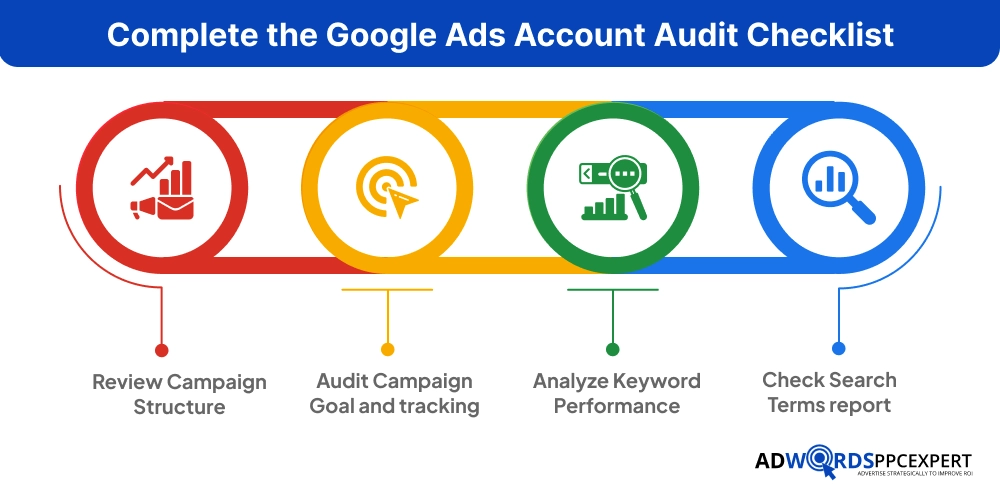
- Review Campaign Structure
- Audit Campaign Goal and tracking
- Analyze Keyword Performance
- Check Search Terms report
- Review Match Types
- Audit Ad Copy Performance
- Check Quality Score
- Check Ad Scheduling
- Review Landing Pages
- Analyze Audience Targeting
- Check Device Performance
- Audit Ad Extensions
- Review Bidding Stratergy
- Budget Allocation Audit
- Review Geographic Performance
Running Google Ads without regular audits is like driving with your eyes half closed. Your campaigns may still get clicks, but the leads and conversions remain low. This is a common sign that something is not working properly.
“More than 1.2 million to 7 million businesses and advertisers actively use Google Ads, which means competition for high-intent keywords is constantly increasing.
Thus, small issues inside your account can slowly drain your budget and reduce overall campaign performance. With a proper Google Ads account audit, you can identify these gaps early and fix them before they turn into costly problems. If you are curious about the cost for Google ads, you can also read our article: Cost for Google Ads
This guide covers:
- What a Google Ads audit is
- Why it matters
- Step-by-step audit checklist
- Common mistakes
- Optimization tips
- Solutions to improve campaign performance
What is a Google Ads Account Audit, and why does it matter?
A Google Ads audit is a detailed review of your advertising campaigns to identify improvement areas. This will ensure that you ad spend yields the best possible returns. While conducting, you will know:
- What is working
- What is underperforming
- Where money is getting wasted
- Which campaigns need optimization
Many Google Ads campaigns lose money because of hidden issues that businesses fail to notice. Irrelevant clicks, poor targeting, weak keywords, and outdated settings slowly increase ad costs and reduce conversions.
“A recent study of 15,000+ Google Ads accounts found that businesses waste an average of $1,127 per month on ineffective ad spend.
Regular Google Ads audits help you identify these problems before they damage performance. They improve targeting, remove wasted spend, and help you focus your budget on campaigns that actually generate leads and sales.
Businesses that review campaigns consistently often achieve better ROI, stronger lead quality, and lower cost per conversion. Regular audits also help you stay competitive as search trends and customer behavior continue changing.
Quick Impact of a Proper Audit
| Area | Before Audit | After Audit |
|---|---|---|
| Click Quality | Low | Highly targeted |
| Cost per Lead | High | Reduced |
| Conversion Rate | Weak | Improved |
| Budget Usage | Wasted | Optimized |
| Ad Relevance | Average | Strong |
Signs Your Google Ads Account Needs an Audit
You should audit your account if you notice:
- Rising ad costs
- Declining conversions
- High bounce rate
- Low Quality Score
- Poor lead quality
- Sudden traffic drop
- Low CTR
- Campaigns running without updates
Even high-performing accounts should be reviewed every few months.
Complete the Google Ads Account Audit Checklist
If your ads are showing these signs, it may be time to audit your Google Ads account. Below is a checklist to help you identify performance issues before your budget gets wasted and your campaigns stop delivering results.
1. Review Campaign Structure
Only running campaigns does not generate revenue. You also need to review, organize, and structure your campaigns properly. These are the key factors that help improve targeting, reporting, and budget control. If you ignore them, your ads may reach the wrong audience and result in lower overall campaign performance.
Key Points to Consider While Auditing
- Campaigns are grouped by services, products, or locations
- Ad groups focus on one specific theme or keyword category
- Keywords match user search intent
- Branded and non-branded keywords are separated
For example, keeping SEO services and PPC services in separate campaigns allows better targeting and performance tracking. Similarly, tightly themed ad groups improve ad relevance and Quality Score.
A clean campaign structure also makes optimization easier, improves reporting accuracy, and helps allocate budget more effectively across high-performing campaigns.
2. Audit Campaign Goal and tracking
Tracking is non-negotiable in auditing. If the tracking is ot accurate, you can’t understand which campaigns, keywords, or ads are actually generating results. Most businesses spend money on ads to measure real performance because their tracking setup is incomplete or inaccurate.
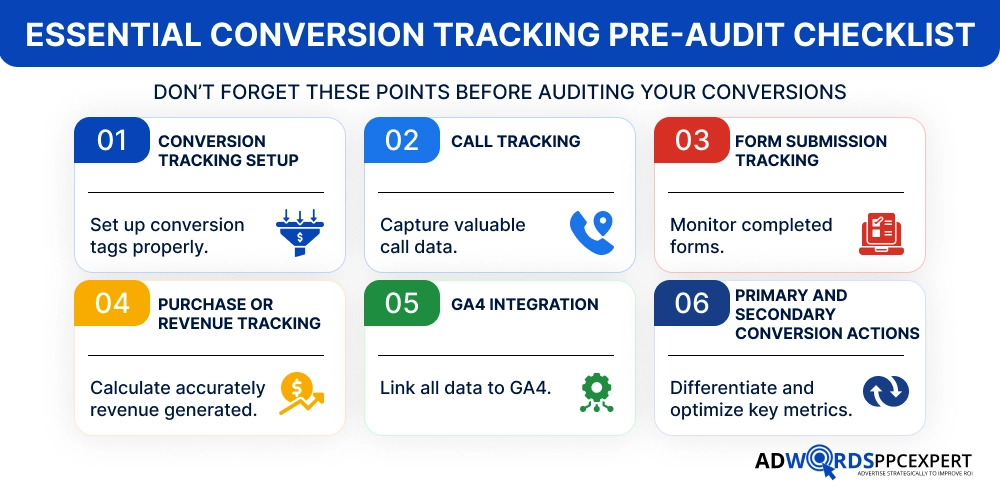
One common issue is tracking every page visit or button click as a conversion. This creates misleading data and makes optimization difficult. Instead, focus on meaningful actions that directly impact business growth, such as qualified leads, Phone calls, Purchases, Demo bookings, and Contact form submissions.
Proper tracking helps improve bidding decisions, budget allocation, and overall campaign performance. It also gives clear insights into which campaigns are delivering the best return on investment.
3. Analyze Keyword Performance
Keywords are the core of every Google Ads campaign. The reason? Your ads where to be shown is actually decided by the keywords. In any case, if you target the wrong keyword, your ads can face issues like irrelevant traffic, increasing the ad spend, and driving poor leads. That’s why, while auditing, checking the keyword performance is a must.
Whenever you audit, check these points:
- High cost eyowrds with low conversion
- Low-performing search terms
- Keyword match type
- Duplicate keywords across the campaigns
- Search intent alignment
- Conversion rate and CPC data
Apart from this, pay close attention to keywords that receive clicks but fail to generate leads or sales. When you focus on these, your ad spending wastage is automatically lower. It’s important to choose a keyword that actually drives conversions. Note that there are a few points that will improve the performance:
- Pause poor-performing keywords
- Add high-intent keywords that include action words like “buy,” “hire,” “pricing,” or “near me”
- Regularly add negative keywords like “free,” “cheap,” “DIY,” or “download”
- Focus the budget on keywords generating qualified conversions
A strong keyword strategy helps improve targeting accuracy, lower wasted spend, and increase overall return on investment.
4. Check Search Terms report
The Search Terms Report is one of the most valuable sections in Google Ads because it shows the actual searches people type before clicking your ads. It helps you understand whether your ads are reaching the right audience or simply attracting irrelevant traffic that wastes your budget.
Many advertisers ignore this report, which often leads to unnecessary spending on low-quality clicks that never convert. However, regularly reviewing search terms helps you identify what is actually driving results and what is hurting campaign performance.
During the audit, pay close attention to:
- Irrelevant search queries
- Broad intent searches
- Low-converting terms
- Competitor-related searches
- Informational searches with no buying intent
- Repeated unwanted keywords
Those clicks are unlikely to generate qualified leads and may only increase wasted spend.
The best way to control this is by regularly adding negative keywords. Negative keywords prevent your ads from appearing for irrelevant searches, helping you improve targeting accuracy and protect your budget.
Benefits of Optimizing the Search Terms Report
- Reduces wasted ad spend
- Improves lead quality
- Increases conversion rates
- Improves campaign relevance
- Helps discover high-intent keyword opportunities
Consistently reviewing the Search Terms Report gives you better control over traffic quality and helps improve overall campaign performance.
5. Review Match Types
Match types control how closely a user’s search must match your keyword before your ad appears. Using the right match type helps improve targeting accuracy, traffic quality, and conversions while reducing wasted spend.
Main match types:
Exact Match – Best for high-intent searches and better conversion quality
Phrase Match – Offers controlled reach while keeping searches relevant
Broad Match – Expands reach but may trigger irrelevant searches if not monitored properly
During the audit, check:
- Whether match types align with campaign goals
- Search intent relevance
- Irrelevant traffic from Broad Match keywords
- Negative keyword usage
A balanced match type strategy helps improve ad relevance, budget efficiency, and overall campaign performance.
6. Audit Ad Copy Performance
Your ad copy plays a major role in improving CTR, engagement, and conversions. Even well-targeted campaigns may struggle if the messaging is weak or unclear. Strong ads usually address the user’s problem, present a solution, and include a clear call to action.
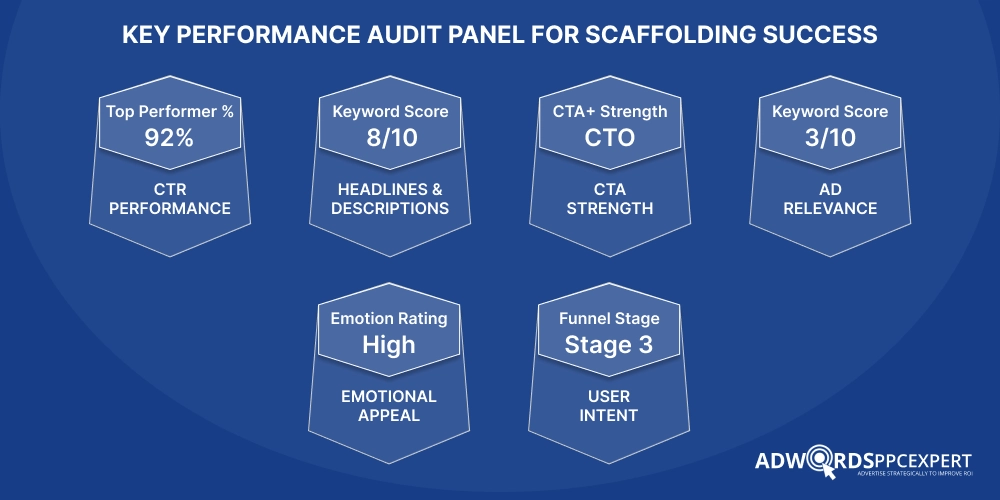
Clear and benefit-focused ad copy helps attract more qualified clicks and improves overall campaign performance.
7. Check Quality Score
Quality Score is an important Google Ads metric that directly impacts your ad rank, visibility, and cost per click. A low Quality Score can increase advertising costs and make it harder for your ads to appear in top positions, even with a higher budget.
Quality Score mainly depends on:
- Expected CTR
- Ad relevance
- Landing page experience
Google evaluates how relevant and useful your ads are to users. If your keywords, ad copy, and landing pages closely match user intent, your Quality Score usually improves.
During the audit, check whether:
- Ads match the targeted keywords
- Landing pages align with ad messaging
- CTR performance is strong
- Pages provide a good user experience
Improving these areas can help lower CPC, improve ad visibility, attract more qualified clicks, and increase overall campaign efficiency.
8. Check Ad Scheduling
Ad scheduling helps control when your ads appear based on performance data. In many Google Ads accounts, conversions are not evenly distributed throughout the day. Some hours or days may generate strong leads, while others only consume budget without meaningful results.
This data helps identify when your audience is most active and likely to convert.
| Time Period | Performance Insight | Recommended Action |
|---|---|---|
| 9 AM – 6 PM | High conversions and better lead quality | Increase bids or budget |
| Late Night Hours | High clicks but low conversions | Reduce bids or pause ads |
| Weekdays | Strong business inquiries | Prioritize ad spend |
| Weekends | Lower engagement | Monitor or limit spending |
9. Review Landing Pages
Even high-performing ads can fail if the landing page does not provide a smooth user experience. When users click an ad, they expect fast-loading pages, relevant information, and a clear next step. Slow pages, confusing layouts, or weak CTAs often increase bounce rates and reduce conversions. Explore some key points for auditing:
- Page speed
- Mobile responsiveness
- CTA visibility
- Content relevance
- Form usability
- Trust signals like reviews or testimonials
The landing page should match the ad message and focus on the user’s intent. For example, if an ad promotes a free Google Ads audit, the landing page should clearly explain the offer and make the signup process simple.
Keeping landing pages fast, clear, and conversion-focused helps improve user experience, lead quality, and overall campaign performance.
10. Analyze Audience Targeting
Audience targeting helps your ads reach people who are most likely to convert. If targeting is too broad or inaccurate, campaigns may generate irrelevant clicks, wasted budget, and low-quality leads.
Check whether your ads are reaching the right age groups, locations, and user interests based on your business goals. It is also important to exclude locations or audiences that are not relevant to your services.
Remarketing audiences should also be reviewed to reconnect with users who previously visited your website or interacted with your ads.
Proper audience targeting improves traffic quality, conversion rates, and overall campaign efficiency while reducing unnecessary ad spend.
11. Check Device Performance
User behavior can vary significantly across mobile, desktop, and tablet devices. Some campaigns may generate strong conversions on desktop while wasting budget on mobile traffic. That is why reviewing device performance is an important part of a Google Ads audit. Always keep these points in your mind, that is crucial while managing a Google Ads account, auditing is CTR, CPC, Conversion rate, and Bounce rate.
Analyze which devices generate the best engagement and qualified leads. For example, a high mobile CTR with low conversions may indicate a poor mobile landing page experience or low-quality traffic.
Based on the performance data, adjust device bids to focus more budget on devices delivering better results. Optimizing device targeting helps improve conversion rates, reduce wasted spend, and increase overall campaign efficiency.
12. Audit Ad Extensions
Ad extensions help make your ads more informative and improve their visibility on search results. They provide additional details that encourage users to interact with your ads and often improve click-through rates.
During the audit review:
- Sitelinks
- Callouts
- Call extensions
- Structured snippets
- Location extensions
Check whether the extensions are relevant, updated, and aligned with your campaign goals. For example, sitelinks can direct users to important service pages, while call extensions make it easier for users to contact your business directly.
Well-optimized ad extensions usually improve CTR, increase ad space, and enhance the overall user experience, which can lead to better campaign performance and more qualified clicks.
13 Review Bidding Stratergy
Your bidding strategy is utmost. This should align with your campaign goals and available conservation data. Using the wrong bidding method can increase costs and reduce overall performance.
Common bidding strategies:
Maximize Conversions – Focuses on getting the highest number of conversions within your budget
Target CPA – Aims to generate conversions at a specific cost per acquisition
Manual CPC – Gives full control over keyword bids
Target ROAS – Optimizes campaigns based on expected return on ad spend
For example, if a new campaign has very little conversion data, Manual CPC is often a better option because it provides more control over spending. Once enough conversion data is collected, automated strategies like Target CPA or Maximize Conversions can help improve performance and scaling.
14. Budget Allocation Audit
Not every campaign deserves the same budget. Some campaigns may spend heavily without generating enough leads or sales, while high-performing campaigns may struggle because of limited budget allocation.
Things to review:
- Budget distribution across campaigns
- Campaigns with high spend but low conversions
- Impression share loss due to budget limits
- Top-performing campaigns needing more investment
If your “Google Ads Audit” campaign generates quality leads consistently but has a limited daily budget, increasing its budget can improve conversions. At the same time, reducing spend on low-performing campaigns helps control wasted costs.
A proper budget allocation strategy helps maximize ROI, improve campaign efficiency, and focus spending on campaigns delivering the best results.
15. Review Geographic Performance
Geographic performance analysis helps identify which locations generate the best results and which areas are wasting ad spend. User behavior, competition, and conversion rates often vary by city, region, or country, so location-based optimization is important for improving campaign efficiency.
During the audit, analyze:
- Top-performing cities or regions
- Low-performing locations
- CPC differences by area
- Conversion rates by location
This data helps you understand where your budget is delivering the strongest return.
| Location | Performance Insight | Recommended Action |
|---|---|---|
| High-Converting Cities | Strong lead quality and conversions | Increase bids or budget |
| Low-Performing Regions | High spend with low conversions | Reduce bids or exclude |
| High CPC Areas | Expensive clicks with weak ROI | Optimize targeting carefully |
If campaigns generate most qualified leads but perform poorly in smaller regions, increasing bids for high-performing cities and reducing spend in weaker locations can improve overall ROI. If you are interested in knowing about the small business
Optimizing geographic targeting helps improve lead quality, reduce wasted spend, and focus the budget on locations delivering the best performance.
Final Says!
Running Google Ads without regular auditing results in wasted budget, poor-quality leads, and lower conversions. A proper account audit helps identify hidden issues, improve targeting, and optimize campaigns for better ROI. This helps you attract high-intent customers and focus your budget on campaigns that generate real business growth and qualified conversions.
Need More Advanced Strategies to Get Better Results? Time to Consult AdWords PPC Experts
The above strategies are some of the proven methods we use to improve Google Ads performance and generate better results. However, every business requires a proper PPC strategy based on its goals, competition, audience, and budget. Without the right planning, even a high ad spend may fail to generate qualified conversions.
If you want to improve conversions, reduce wasted spend, and scale profitable campaigns, it’s the right time to connect with an experienced AdWords consultant who can build data-driven strategies for long-term growth.

Ami Singh is a highly skilled AdWords PPC Specialist, known for creating profitable Google Ads strategies that elevate brands. With deep expertise in Google Search, Display, Shopping, YouTube Ads, and advanced bidding techniques, Ami consistently converts data into performance-driven results.
With a sharp analytical mind and a strong understanding of online consumer behavior, Ami designs campaigns that maximize ROI, boost quality scores, and reduce acquisition costs. His approach blends technical expertise with strategic thinking—making him a go-to expert for businesses aiming to dominate Google Ads.
Ami doesn’t just adapt to the fast-changing PPC industry, but he also stays ahead of the curve by testing new features, adopting automation smartly, and refining what works. Clients trust him for his transparency, insights, and ability to scale campaigns sustainably.
Looking to take your Google AdWords performance to the next level? Connect with Ami Singh at Softtrix and discover how he can help you get the maximum growth through powerful PPC strategies.