
There was a time when a small business could grow steadily on word-of-mouth referrals, a well-placed Yellow Pages listing, and a loyal local customer base. That time is long gone. Today, when someone needs a plumber, a dentist, a divorce attorney, or a new pair of running shoes, the first thing they do is search on Google. Decisions are made in seconds, and businesses that appear at the top of those results win the customer.
This is the environment small businesses are trying to figure out in 2026, and it’s more competitive than it has ever been. Consider what the numbers actually say:
- Google processes more than 8.5 billion searches every single day.
- 76% of people who search for a local business on their smartphone visit that business within 24 hours.
- The top three Google Ad positions receive over 46% of all clicks on a search results page.
- Businesses earn an average of $2 in revenue for every $1 they spend on Google Ads when campaigns are properly managed.
- 96% of brands use Google Ads as part of their digital advertising mix, because it works.
Organic search visibility is valuable, but it takes months or years to build. Social media reach has declined sharply as platforms prioritize paid content. Traditional advertising, print, radio, and local TV, is expensive and nearly impossible to measure. Google Ads, by contrast, places your business directly in front of people who are actively searching for what you offer, at the exact moment they are ready to make a decision. That is not broadcasting your message to a passive audience. That’s showing up for someone who is already looking for you.
But here is the real problem most small business owners face: they either don’t know what Google Ads costs, or they have tried it once, felt like they wasted money, and walked away, without realizing that their campaigns were simply set up wrong. The platform itself is not the issue. Understanding it is.
This guide exists to fix that. Whether you are a first-time advertiser trying to plan your budget, or a business owner who is tried Google Ads before and wants to finally get it right, everything you need to make an informed decision is laid out clearly in the sections that follow, from average costs and CPC benchmarks to budget planning, ROI expectations, and the strategies that make every dollar work harder.
What Is Google Ads and How Does It Work for Small Businesses?
Google Ads is Google’s online advertising platform that allows businesses to display paid ads across Google Search, Google Maps, YouTube, Gmail, and millions of partner websites. It is the largest digital advertising network in the world, commanding roughly 28% of all global digital ad spend.
At its core, it works on a pay-per-click (PPC) model, where you only pay when someone actually clicks your ad. Here’s the basic mechanics in plain terms:
- A potential customer types a search query into Google, let’s say, "emergency plumber near me."
- Google instantly runs a background auction among all advertisers bidding on relevant keywords.
- Google determines which ads appear and in what order based on two factors: your bid amount and your Quality Score (a rating of how relevant and useful your ad is).
- The highest-ranked ad is not automatically the highest bidder, a small business with a relevant, well-crafted ad can outrank a large competitor spending more.
- You pay only when someone clicks. No click, no charge.
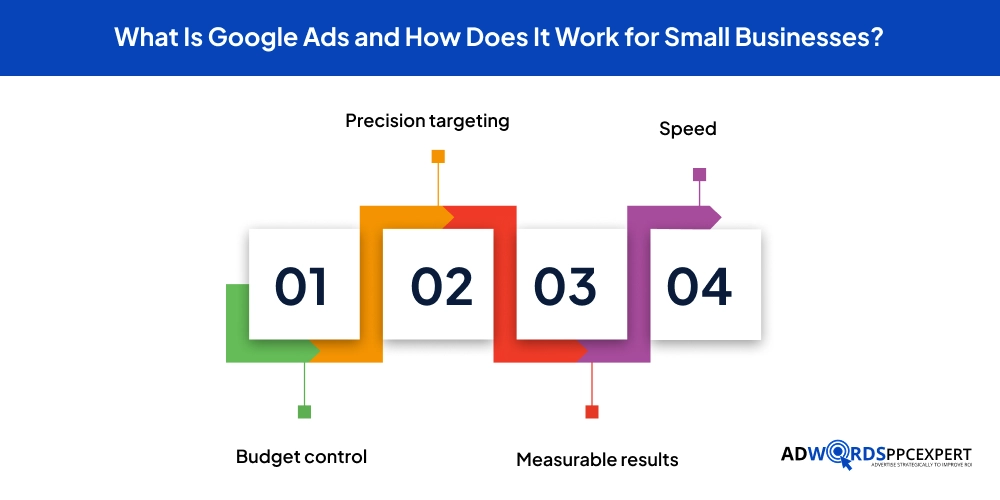
For small businesses, this model offers four core advantages that traditional advertising cannot match:
- Budget control - Set any daily or monthly cap, pause or stop campaigns at any time.
- Precision targeting - Reach people in specific locations, at specific times, searching for specific services.
- Measurable results - Track clicks, calls, form submissions, purchases, and revenue with exact accuracy.
- Speed - Campaigns can go live within hours and generate leads the same day, unlike SEO, which takes months.
Types of Google Ads: Which Format Is Right for Your Small Business?
One of the most important decisions you will make as a small business advertiser is choosing the right campaign type for your goal. Not all Google Ads work the same way, and selecting the wrong format for what you are trying to achieve is one of the most common reasons campaigns underperform. Here’s a clear breakdown of each type and where it fits for small businesses.
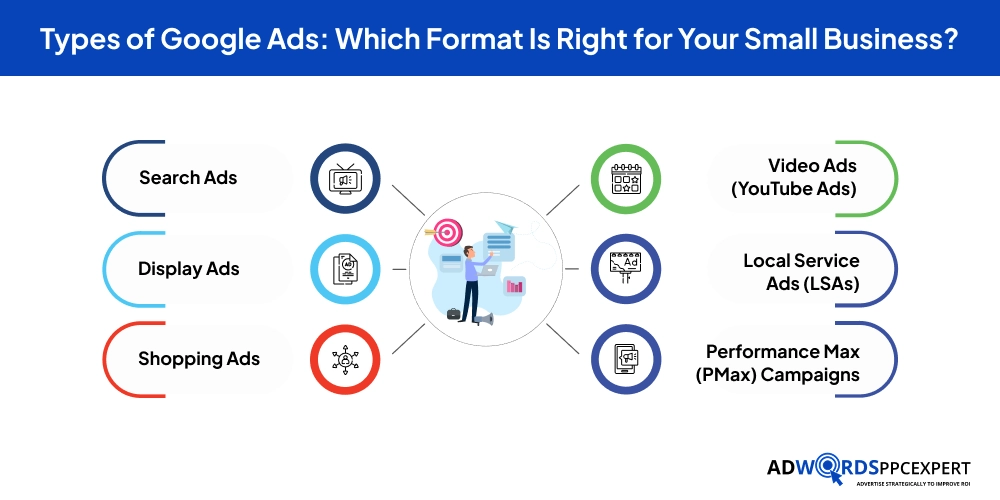
1. Search Ads
Search Ads are text-based ads that appear at the top and bottom of Google search results pages. They are triggered by the specific keywords someone types into the search bar, making them the most intent-driven format available. When someone searches for “same-day AC repair Austin,” they want help right now, and your Search Ad can be the first thing they see.
- Best for: Lead generation, service bookings, direct response, local businesses.
- Cost structure: Pay-per-click; average CPC ranges from $1 to $8 for most small business categories, higher in competitive industries.
- Why it works: You are reaching people who are actively searching for your specific product or service, the highest-intent audience on the internet.
- Recommended for: Nearly every small business running Google Ads for the first time.
2. Display Ads
Display Ads are visual banner and image-based ads that appear across Google’s vast Display Network, over two million websites, apps, and Google-owned properties like Gmail and YouTube. Unlike Search Ads, Display Ads reach people who aren’t necessarily searching for your service at that moment.
- Best for: Brand awareness, retargeting past website visitors, reaching broad audiences.
- Cost structure: CPCs typically range from $0.11 to $0.63 — far lower than Search, but with lower purchase intent.
- Why it works: Keeps your brand visible to people who have already visited your site or match your target audience profile.
- Recommended for: Businesses looking to build recognition, or retarget visitors who didn't convert the first time.
3. Shopping Ads
Shopping Ads are product-focused ads that display directly within Google’s search results, showing an image of the product, its price, and the store name. They are powered by your product feed rather than keyword bids, which means Google automatically matches your products to relevant searches.
- Best for: E-commerce and retail businesses selling physical products online.
- Cost structure: Average CPC between $0.50 and $1.50, generally lower than Search Ads with strong purchase intent.
- Why it works: Shoppers can see exactly what you're selling and at what price before they click, attracting better-qualified buyers.
- Recommended for: Any small business with an online product catalog.
4. Video Ads (YouTube Ads)
Video Ads run on YouTube, the world’s second-largest search engine, and across Google’s video partner network. They can appear as YouTube ads before, during, or after YouTube videos, or within YouTube search results. Formats include skippable in-stream ads, non-skippable ads, and bumper ads.
- Best for: Brand storytelling, product demonstrations, awareness campaigns.
- Cost structure: Cost per view typically ranges from $0.05 to $0.30.
- Why it works: Video is the highest-engagement content format available, and YouTube's targeting capabilities allow precise audience segmentation.
- Recommended for: Businesses with a compelling story, a visual product, or an established brand looking to grow reach.
5. Local Service Ads (LSAs)
Local Service Ads are a distinct format from traditional Google Ads, they appear at the very top of Google search results above regular paid ads and feature a “Google Guaranteed” or “Google Screened” badge. Unlike other formats, LSAs charge per lead (phone call or message), not per click.
- Best for: Home service businesses (plumbers, electricians, HVAC, landscapers, locksmiths) and professional services (attorneys, accountants, real estate agents).
- Cost structure: Pay-per-lead model; cost per lead varies by industry and location, typically $15 to $80.
- Why it works: The Google Guaranteed badge builds instant credibility. You only pay for leads, not for unqualified clicks.
- Recommended for: Service businesses that qualify for Google's verification process, this is often the highest-ROI format available for eligible categories.
6. Performance Max (PMax) Campaigns
Performance Max is Google’s newest and most AI-driven campaign type. A single PMax campaign automatically serves ads across all of Google’s networks, that is, Search, Display, YouTube, Gmail, Discover, and Maps, and uses machine learning to optimize delivery toward your stated conversion goal.
- Best for: Businesses with clear conversion goals and strong creative assets (images, videos, headlines, descriptions).
- Cost structure: Managed by Smart Bidding; costs vary based on your target CPA or ROAS goal.
- Why it works: One campaign covers every Google surface simultaneously, with AI optimizing placements in real time.
- Recommended for: Businesses that have already built baseline performance data from Search campaigns and are ready to expand their reach.
- Caution: Provides less transparency and manual control than traditional campaign types. Best suited for advertisers with proper conversion tracking in place.
What Does Google Ads Actually Cost for a Small Business in 2026?
This is the first question every small business owner asks, and the honest answer is that costs vary considerably based on your industry, location, keywords, and campaign quality. But “it varies” is only useful if you understand the actual ranges, so here is a clear picture of what real small businesses are spending and paying in 2026.
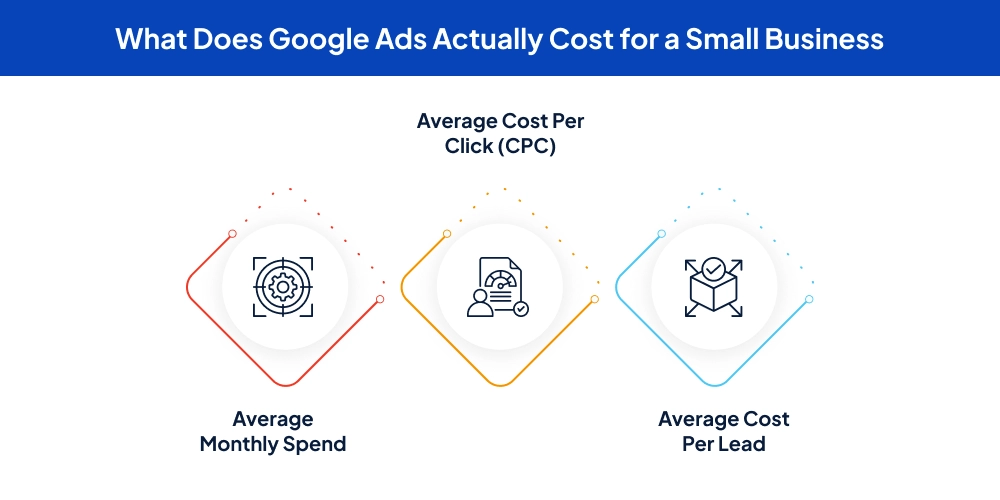
Average Monthly Spend
Most small businesses that are generating consistent, meaningful results from Google Ads are spending somewhere in the following ranges:
- Starting / testing phase: $500 to $1,000 per month, enough to gather initial data in moderately competitive markets.
- Active lead generation: $1,000 to $3,000 per month, the most common range for small businesses seeing real ROI.
- Competitive markets or high-value services: $3,000 to $10,000+ per month, necessary for industries like legal, healthcare, real estate, and finance.
There is no official minimum. Technically, you can run Google Ads for $5 per day. But below $500 per month, you will typically generate too few clicks to produce meaningful results or give Google’s algorithm enough data to optimize effectively.
Average Cost Per Click (CPC)
CPC is the amount you pay each time someone clicks your ad. Here’s what the numbers look like across different formats:
- Google Search Network: Average CPC of $1 to $8 for most small business categories; $15 to $100+ in high-competition industries like legal and insurance.
- Google Display Network: Average CPC of $0.11 to $0.63, much lower, with correspondingly lower purchase intent.
- Google Shopping Ads: Average CPC of $0.50 to $1.50 for most e-commerce product categories.
- YouTube Video Ads: Cost per view typically $0.05 to $0.30 per view.
- Local Service Ads: Pay-per-lead model; typical cost per lead of $15 to $80 depending on service category and location.
Average Cost Per Lead
Cost per lead (CPL) is what matters most from a business perspective, it’s the total ad spend required to generate one qualified inquiry, call, or form submission. Across industries, Google Search Ads deliver leads in the following ranges:
- Home services (plumbing, HVAC, roofing, electrical): $40 to $100 per lead.
- Dental and medical practices: $50 to $120 per lead.
- Legal services: $80 to $300+ per lead, depending on practice area and market.
- E-commerce: Measured differently, the typical cost per purchase is $15 to $75, depending on product value and competition.
- SaaS and tech: $50 to $200 per trial signup or demo request.
Note: The CPC alone does not tell you whether Google Ads is affordable for your business. What matters is how that CPC translates into a cost per lead, and whether that cost per lead is profitable relative to what a new customer is actually worth to you.
What Drives Your Google Ads Costs Up or Down?
Your Google Ads costs are not fixed. They are the output of several variables that you can directly influence with the right strategy. Understanding these factors gives you real levers to control spending and improve returns.
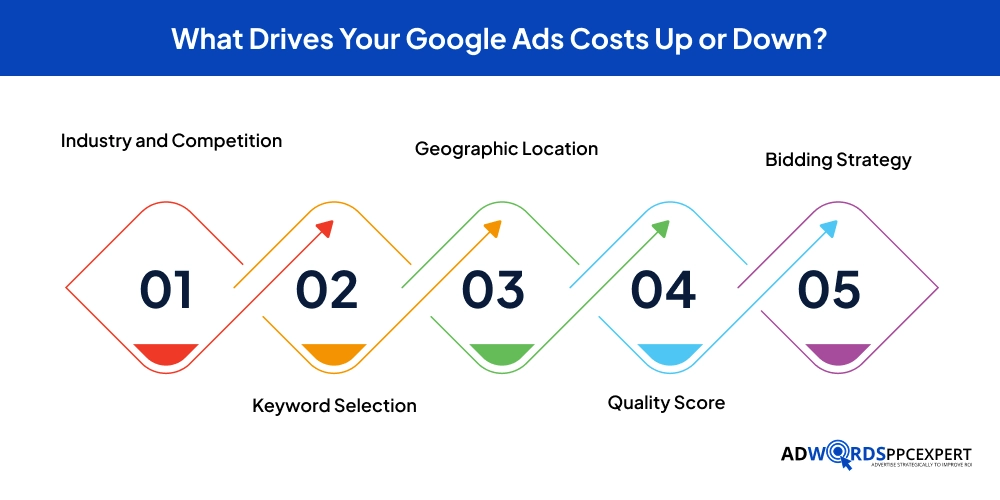
1. Industry and Competition
The most dominant cost driver is the industry you operate in. In sectors where a single new customer generates high revenue, such as law, finance, healthcare, insurance, advertisers bid aggressively because they can afford to. This drives CPCs up for everyone in those categories.
- Legal and financial keywords regularly reach $20 to $100+ per click in major markets.
- Healthcare and dental keywords typically fall in the $5 to $15 range.
- Home services and e-commerce keywords are often $1 to $8 per click.
- In every industry, niche-specific or long-tail keywords cost significantly less than broad category terms.
2. Keyword Selection
Generic, high-volume keywords attract the highest competition and the highest bids. Long-tail keywords, specific multi-word phrases reflecting precise intent, are less expensive and convert at higher rates.
- "Plumber" might cost $8 per click and attract low-intent traffic.
- "Emergency water heater replacement same-day Denver" might cost $3 per click and attract someone ready to book immediately.
- A long-tail keyword strategy doesn't just lower your CPC, it improves the quality of every click you receive.
- For most small businesses, long-tail targeting is the highest-leverage keyword strategy available.
3. Geographic Location
Where you advertise has a direct and measurable impact on cost. Major metropolitan markets are more expensive, with more advertisers competing for the same audience.
- CPCs in New York, San Francisco, Los Angeles, or Chicago can run 30% to 60% higher than in mid-tier or smaller markets.
- Tight geographic targeting, restricting ads to specific zip codes, cities, or a radius around your location, reduces competition and controls spend.
- For local service businesses, geo-targeting is one of the most powerful cost-management tools available.
4. Quality Score
Quality Score is Google’s internal 1–10 rating of your ad’s relevance and usefulness. It’s based on three factors:
- Expected click-through rate - how often people click your ad when it appears.
- Ad relevance - how closely your ad copy matches the search query.
- Landing page experience - how relevant and useful your page is after the click.
A higher Quality Score directly reduces your CPC and improves your ad position. Moving from a Quality Score of 5 to 8 can lower your effective CPC by 30% to 50%, without changing your bid at all. This is one of the areas where well-managed campaigns consistently outperform self-run ones.
5. Bidding Strategy
How you bid on keywords has a significant effect on what you pay and what you get. The main options are:
- Manual CPC - You set specific bids per keyword. Full control, requires active management.
- Maximize Clicks - Google automatically bids to get as many clicks as possible within your daily budget. Good for new campaigns building volume.
- Target CPA - Google's AI optimizes bids to hit a specific cost per acquisition. Requires 30+ conversions per month to work well.
- Target ROAS - Google optimizes bids to hit a specific return on ad spend. Best for campaigns with strong conversion history.
- Smart Bidding strategies typically outperform manual bidding once sufficient data is accumulated, but they need proper conversion tracking to function correctly.
How to Set a Smart Google Ads Budget as a Small Business
Choosing the right Google Ads budget is not about picking a number you are comfortable losing. It’s about working backward from what you want to achieve and ensuring you have enough spend to gather meaningful data and generate results.
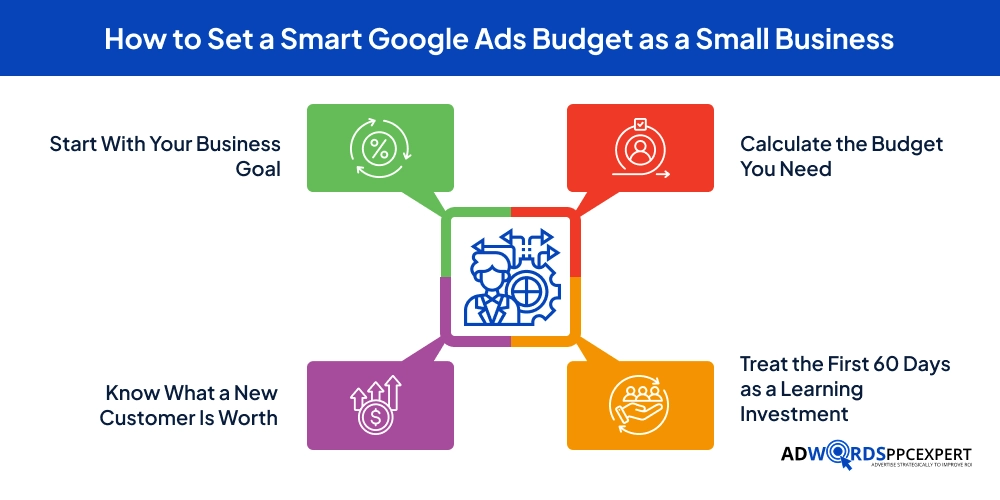
Start With Your Business Goal
Every budget decision should begin with a clear, specific goal. Are you trying to generate phone calls? Contact form submissions? Online purchases? In-store visits? Each goal implies a different conversion rate, a different cost per conversion, and therefore a different budget requirement. A business trying to book service calls is looking at a different math problem than one trying to sell $30 products online. Define your goal first, and everything else follows from there.
Know What a New Customer Is Worth
This is arguably the most important calculation in all of paid advertising. Your customer lifetime value (LTV) is the total revenue you expect to generate from a single customer over the course of your relationship with them. A dental practice where the average patient stays for five years and comes in twice annually might have an LTV of $1,500 or more. An HVAC company where customers call for maintenance every year and an emergency replacement every decade might calculate LTV at $800 to $2,000. Once you have this number, you can work backward: if your LTV is $1,200 and you’re willing to spend 20% of that to acquire a new customer, your maximum acceptable cost per acquisition is $240.
Calculate the Budget You Need
With your target cost per acquisition (CPA) in hand, you can estimate what budget you need to hit your monthly lead goals. Here is the basic formula – take the number of new customers or leads you want each month, multiply by your target CPA, and you have your approximate monthly budget target. For example, a local roofing company wants 10 new estimate requests per month. They know from their industry research that a well-managed Google Ads campaign in their market should deliver leads at roughly $80 each. That points to a budget of approximately $800 per month as a starting point.
If you are not sure what CPA to expect in your industry, a good rule of thumb is to start with enough budget to generate 100 to 200 clicks per month. This volume gives Google’s algorithm enough data to begin optimizing, and gives you enough statistical signal to make meaningful decisions about what’s working. If your average CPC is $4, that suggests a starting budget of $400 to $800 per month. If your CPC is $12, you might need $1,200 to $2,400 to reach the same click volume.
Treat the First 60 Days as a Learning Investment
New Google Ads campaigns almost never perform at their best right out of the gate. The first 30 to 60 days are a period of data collection and refinement, where you are learning which keywords actually convert, which ad messages resonate with your audience, and which landing pages perform best. Budget for this reality. Don’t expect the first month’s spend to deliver your peak ROI. Expect it to generate the insights that allow every subsequent month to improve.
A practical starting budget for most small businesses entering Google Ads for the first time is somewhere between $1,000 and $2,000 per month. This is typically enough to generate meaningful click volume, run a few ad variations, and begin accumulating conversion data within the first 60 days. From there, you scale up what works and cut what doesn’t.
What Kind of ROI Can Small Businesses Realistically Expect?
ROI from Google Ads is the subject of more hype, more fear, and more misinformation than almost any other topic in digital marketing. Here’s the honest truth: the range of outcomes is genuinely enormous, and the determining factor is almost always campaign quality, not the platform itself.
The Benchmarks Behind the Numbers
When looking at industry-wide data for Google Search Ads, the average conversion rate, meaning the percentage of people who click an ad and then take the desired action, like calling, submitting a form, or making a purchase, sits between 7% and 8% across most commercial categories. This means that out of every 100 people who click your ad, roughly 7 to 8 of them become leads. Well-optimized campaigns in high-intent, local categories regularly outperform this average, reaching 12%, 15%, or even 20% conversion rates. Poorly optimized campaigns, the ones running on broad keywords with weak landing pages, often convert at 1% to 3%.
In terms of return on ad spend (ROAS), which measures how many dollars you generate in revenue for every dollar you spend on ads, the broad average for well-managed small business campaigns falls between 2x and 4x. That means for every $1,000 you invest in ad spend, you might expect to generate $2,000 to $4,000 in revenue. For local service businesses with high average job values and clear conversion paths, ROAS of 5x to 10x or more is genuinely achievable with well-structured local PPC campaigns. For competitive e-commerce categories, a 3x to 4x ROAS is often considered a healthy benchmark.
Why Some Campaigns Fail to Deliver ROI
Google Ads underperforms, sometimes badly, when campaigns are structured poorly. The most common culprits are overly broad keyword targeting that generates irrelevant clicks, ad copy that does not match the searcher’s intent, landing pages that fail to convert visitors into leads, the absence of conversion tracking, so you can’t tell what’s working, and an inadequate budget that doesn’t generate enough volume to produce statistically meaningful data. Many small businesses have a genuinely bad first experience with Google Ads and conclude the platform does not work, when the real problem was how the campaign was set up, often by Google’s own automated new advertiser wizards, which are optimized for Google’s revenue, not yours.
The platform works fairly well. What doesn’t work is launching campaigns without a clear strategy, without proper tracking, and without the ongoing optimization that every paid search account requires.
Other Factors Affecting Your Google Ads Spend
When budgeting for Google Ads, your monthly ad spend is only part of the financial picture. There are several additional cost categories that can significantly affect the total investment required to run effective campaigns.
Professional Campaign Management
If you work with a Google Ads agency or a specialist like the team at AdWords PPC Expert, you will pay a management fee in addition to your ad spend. Agencies typically charge either a flat monthly retainer, commonly between $500 and $3,000 per month for small business accounts, or a percentage of your monthly ad spend, usually ranging from 10% to 20%. For a small business spending $2,000 per month on ads, a 15% management fee adds $300 to the monthly cost. This investment is worth considering carefully: a skilled campaign manager can improve your account performance enough to more than offset their fee through lower CPCs, higher conversion rates, and smarter budget allocation.
If you decide to manage campaigns yourself to avoid management fees, account for the time investment honestly. Running Google Ads properly, monitoring performance, adjusting bids, expanding keywords, writing new ad copy, testing landing pages, analyzing data, requires a serious time commitment. For small business owners already stretched thin, this hidden cost of time is often more expensive than simply hiring a specialist.
Landing Page Development and Optimization
Sending paid traffic to your generic homepage is one of the most common and most costly mistakes in Google Ads. Dedicated landing pages, pages designed specifically to convert visitors who arrived from a particular ad, consistently outperform general web pages by a wide margin. Building a well-designed, conversion-optimized landing page may cost anywhere from a few hundred dollars using a landing page builder tool to several thousand dollars for custom development. Ongoing testing and optimization are also an investment of either time or money. It is, however, an investment that directly improves your ROAS.
Conversion Tracking and Analytics Tools
Properly tracking what happens after someone clicks your ad is non-negotiable for running effective campaigns. Google Ads provides free conversion tracking, but setting it up correctly, especially for phone call tracking, form submissions, and ecommerce purchases, often requires technical configuration and sometimes third-party tools. Call tracking services like CallRail typically cost $30 to $50 per month. More comprehensive analytics and reporting platforms can range from $50 to $300 per month. These are not high costs, but they matter for getting an accurate picture of your true ROI.
Proven Strategies to Reduce Your Google Ads Costs Without Sacrificing Results
Lowering your cost per click and your cost per acquisition doesn’t require a massive budget or advanced technical knowledge. It requires disciplined execution of a handful of proven principles.
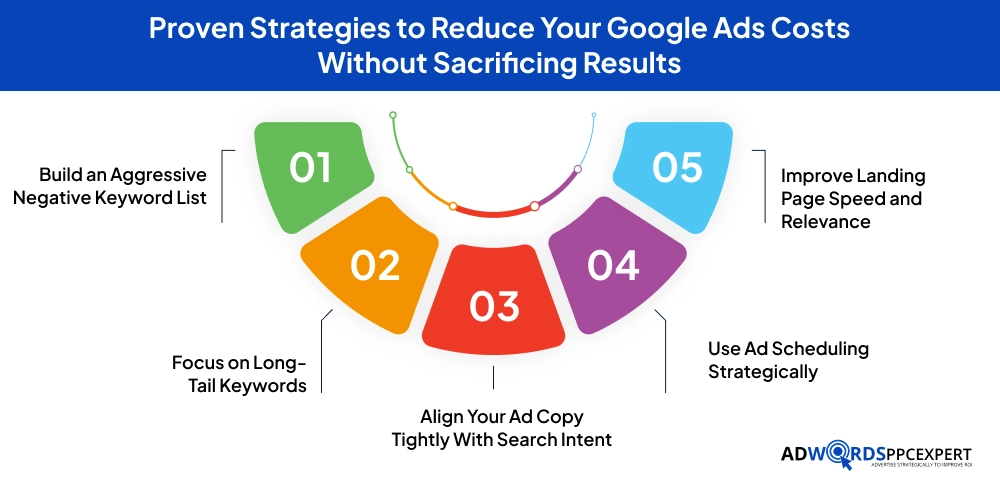
Build an Aggressive Negative Keyword List
Without negative keywords, search terms you explicitly exclude from triggering your ads, Google will spend your money on clicks that will never convert. A plumbing company without negative keywords might show up for searches like “plumbing school near me” or “DIY plumbing tips.” A dentist without negative keywords might attract people searching for veterinary dentistry or teeth whitening toothpaste reviews. Reviewing your search terms report weekly and adding irrelevant terms as negatives is one of the fastest ways to reduce wasted spend. Well-managed accounts have been shown to reduce wasted spend by 20% to 40% through consistent negative keyword management alone.
Focus on Long-Tail Keywords
The shift from broad, competitive head terms to specific, intent-rich long-tail keywords is one of the most impactful changes any small business advertiser can make. Not only are long-tail keywords less expensive to bid on, but they also attract searchers who are much further along in the buying process. Someone searching for “plumber” is in the early stages of awareness. Someone searching “emergency pipe burst repair tonight Austin TX” is ready to call someone right now. Your conversion rates on long-tail terms will typically be two to four times higher than on broad terms, and your CPCs will often be lower.
Align Your Ad Copy Tightly With Search Intent
Google rewards relevance. When your ad text directly addresses what the searcher typed, your click-through rate goes up, your Quality Score improves, and your CPC comes down. This means organizing your campaigns into tightly themed ad groups — each group containing a small cluster of closely related keywords and ad copy written specifically for that cluster. A dental practice shouldn’t have one ad group called “dentist” that captures every keyword related to dental services. It should have separate ad groups for teeth whitening, emergency dental care, Invisalign consultations, and dental implants — each with ad copy tailored precisely to that searcher’s need.
Use Ad Scheduling Strategically
Most businesses see significantly better conversion rates at certain times of day or on certain days of the week. A B2B software company’s best leads might come in on Tuesday through Thursday between 9 AM and 4 PM. A restaurant might see the highest-value clicks on Friday evenings. By using Google’s ad scheduling feature, also called dayparting, you can concentrate your budget on the hours and days when your audience is most likely to convert, and reduce or pause spending during low-performance periods. This simple tactic can improve your overall ROAS by 15% to 30% in many accounts without changing a single keyword or ad.
Improve Landing Page Speed and Relevance
Page load speed is one of the most impactful and most overlooked factors in Google Ads performance. Studies consistently show that conversion rates drop by roughly 20% for each additional second of page load time. A landing page that takes 5 seconds to load on mobile will convert at a fraction of the rate of one that loads in under 2 seconds. Beyond speed, ensure that every landing page you send paid traffic to delivers exactly what the ad promised. If someone clicks an ad for “emergency roof repair quotes,” they should land on a page about emergency roof repair, not your general home services homepage.
What Is Changing in Google Ads in 2026: Trends That Affect Small Business Costs
The Google Ads platform evolves constantly, and staying aware of the major trends shaping paid search in 2026 will help you budget more accurately and manage your campaigns more strategically.
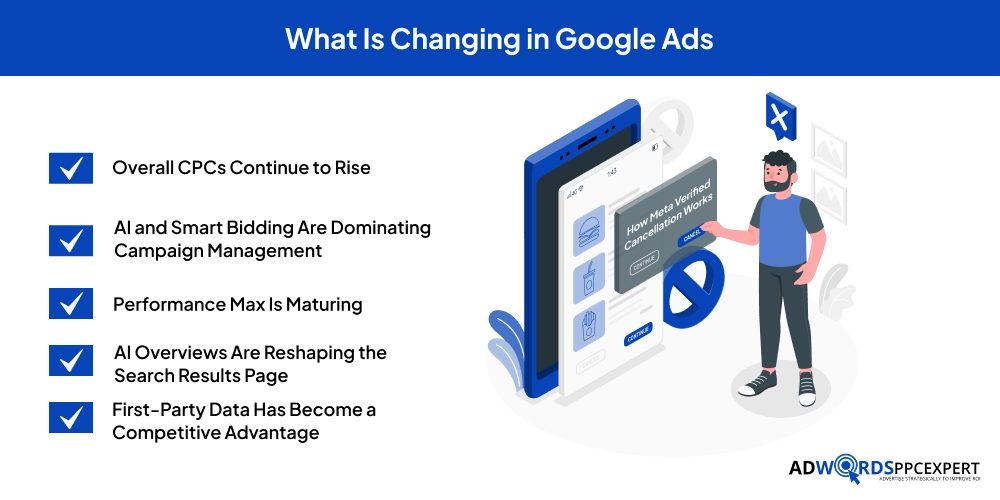
Overall CPCs Continue to Rise
Average CPCs across most industries have risen approximately 8% to 12% year-over-year heading into 2026. The driving forces behind this trend are growing advertiser adoption, more businesses are using Google Ads than ever before, which increases competition in most auction categories, and improvements in Google’s AI-powered ad tools that make ads more effective, which in turn attracts more bidders. This doesn’t mean Google Ads is becoming a worse investment; it means your campaigns need to be better structured and more efficiently optimized to maintain strong returns in an increasingly competitive environment.
AI and Smart Bidding Are Dominating Campaign Management
Automated bidding strategies powered by Google’s machine learning, particularly Target CPA, Target ROAS, and Maximize Conversions, now account for the majority of ad spend in most managed accounts. Google’s AI has become genuinely sophisticated at optimizing bids in real-time based on signals that would be impossible for a human to process manually: device type, time of day, location, audience behavior, and dozens of other factors. For campaigns with sufficient conversion history, Smart Bidding consistently outperforms manual bidding over time. The challenge for small businesses is building enough conversion volume to feed these algorithms effectively, which requires a proper conversion tracking setup and sufficient budget during the learning phase.
Performance Max Is Maturing
Google’s Performance Max campaign type continues to mature as an advertising format, and its adoption among small businesses is growing steadily. PMax allows a single campaign to serve ads across all of Google’s networks simultaneously, Search, Display, YouTube, Gmail, Discover, and Maps, using Google’s AI to determine the best placement and format for each individual impression. For businesses with clear conversion goals, strong creative assets, and proper feed setup, PMax can deliver broader reach and improved efficiency compared to running separate campaign types. However, it provides less transparency and control than traditional campaign types, which means it’s better suited to experienced advertisers who have already established their baseline performance metrics.
AI Overviews Are Reshaping the Search Results Page
Google’s AI Overviews, the AI-generated summaries that now appear at the top of many search results pages, are changing how users interact with search results. As of 2026, paid ads continue to maintain prominent placement alongside and below AI-generated content, but the increased competition for user attention on evolving SERP layouts means that ad quality matters more than ever. Ads that clearly answer a specific, immediate need, with strong headlines, relevant keywords, and a compelling value proposition, are less affected by these layout changes than vague or generic ads that could apply to anyone.
First-Party Data Has Become a Competitive Advantage
As third-party cookie tracking has declined and privacy regulations have tightened, advertisers who leverage their own first-party data, customer email lists, phone numbers, CRM data, and purchase history have a significant edge over those who rely entirely on Google’s audience signals. Uploading your customer list to Google Ads for Customer Match targeting, building PPC remarketing audiences from your website visitors, and connecting your CRM to your Google Ads account are all practices that improve campaign targeting precision and deliver better performance on the same budget. These are increasingly important capabilities for any small business running a serious paid advertising program.
Final Thoughts
Google Ads is one of the most powerful customer acquisition tools available to small businesses today, but it is not a vending machine where you insert dollars and automatically receive customers. It’s a sophisticated, data-driven advertising system that rewards businesses who invest in understanding it, building campaigns thoughtfully, tracking results accurately, and optimizing continuously.
The cost of running Google Ads for a small business in 2026 is genuinely flexible. You can start small, gather data, prove your ROI, and scale confidently from there. What matters isn’t whether you are spending $500 per month or $5,000 per month, what matters is that every dollar is being spent in the right direction, on the right keywords, driving the right audience to a landing experience designed to convert.
The businesses that consistently win with Google Ads share a few things in common -they know their numbers (customer lifetime value, acceptable cost per acquisition, conversion rates), they build campaigns around searcher intent rather than just keywords, they treat their landing pages as seriously as their ads, and they never stop testing and improving. They also tend to work with people who specialize in paid search, because the difference between a well-managed Google Ads account and a poorly managed one is not a small margin, it can be the difference between a thriving lead generation channel and a budget that evaporates with nothing to show for it.
If you are ready to build a Google Ads program that actually delivers for your small business, or if you want an honest assessment of what your current campaigns are costing you versus what they should be generating, our team at AdWords PPC Expert is here to help. Get in touch with us now!
Frequently Asked Questions (FAQs)
How much should a small business spend on Google Ads per month?
Most small businesses need at least $500 to $1,000 per month to gather meaningful data. Businesses targeting consistent lead generation typically invest $1,000 to $3,000 monthly. Competitive industries, such as legal, healthcare, real estate, finance, often require $3,000 to $10,000 or more to maintain meaningful visibility and results.
Can Google Ads work on a $500/month budget?
Yes, but it requires focus. Choose a narrow set of high-intent long-tail keywords, target a specific geographic area, and build a landing page designed to convert efficiently. In moderately competitive local markets, $500 per month can generate a meaningful number of leads. In high-competition industries or major metro areas, it will produce limited volume, use it as a testing phase, not a full campaign.
How long before Google Ads starts generating results?
Campaigns can generate clicks and inquiries within hours of going live. However, most campaigns require 60 to 90 days to reach their performance potential as keywords, ad messages, and bidding strategies are refined through real data. Expect month one to be primarily a learning and data collection phase.
What is a good ROAS for a small business?
A ROAS of 2x to 4x is a healthy benchmark for most well-managed small business campaigns, meaning $2 to $4 in revenue generated for every $1 spent. Local service businesses with high customer lifetime values regularly achieve 5x to 10x or higher. E-commerce businesses typically target a minimum of 3x to 4x ROAS to generate profit after costs.

Ami Singh is a highly skilled AdWords PPC Specialist, known for creating profitable Google Ads strategies that elevate brands. With deep expertise in Google Search, Display, Shopping, YouTube Ads, and advanced bidding techniques, Ami consistently converts data into performance-driven results.
With a sharp analytical mind and a strong understanding of online consumer behavior, Ami designs campaigns that maximize ROI, boost quality scores, and reduce acquisition costs. His approach blends technical expertise with strategic thinking—making him a go-to expert for businesses aiming to dominate Google Ads.
Ami doesn’t just adapt to the fast-changing PPC industry, but he also stays ahead of the curve by testing new features, adopting automation smartly, and refining what works. Clients trust him for his transparency, insights, and ability to scale campaigns sustainably.
Looking to take your Google AdWords performance to the next level? Connect with Ami Singh at Softtrix and discover how he can help you get the maximum growth through powerful PPC strategies.